Your Bank App Is Not a Subscription Tracker: What It Finds, What It Misses, and the 10-Minute Audit That Catches the Rest
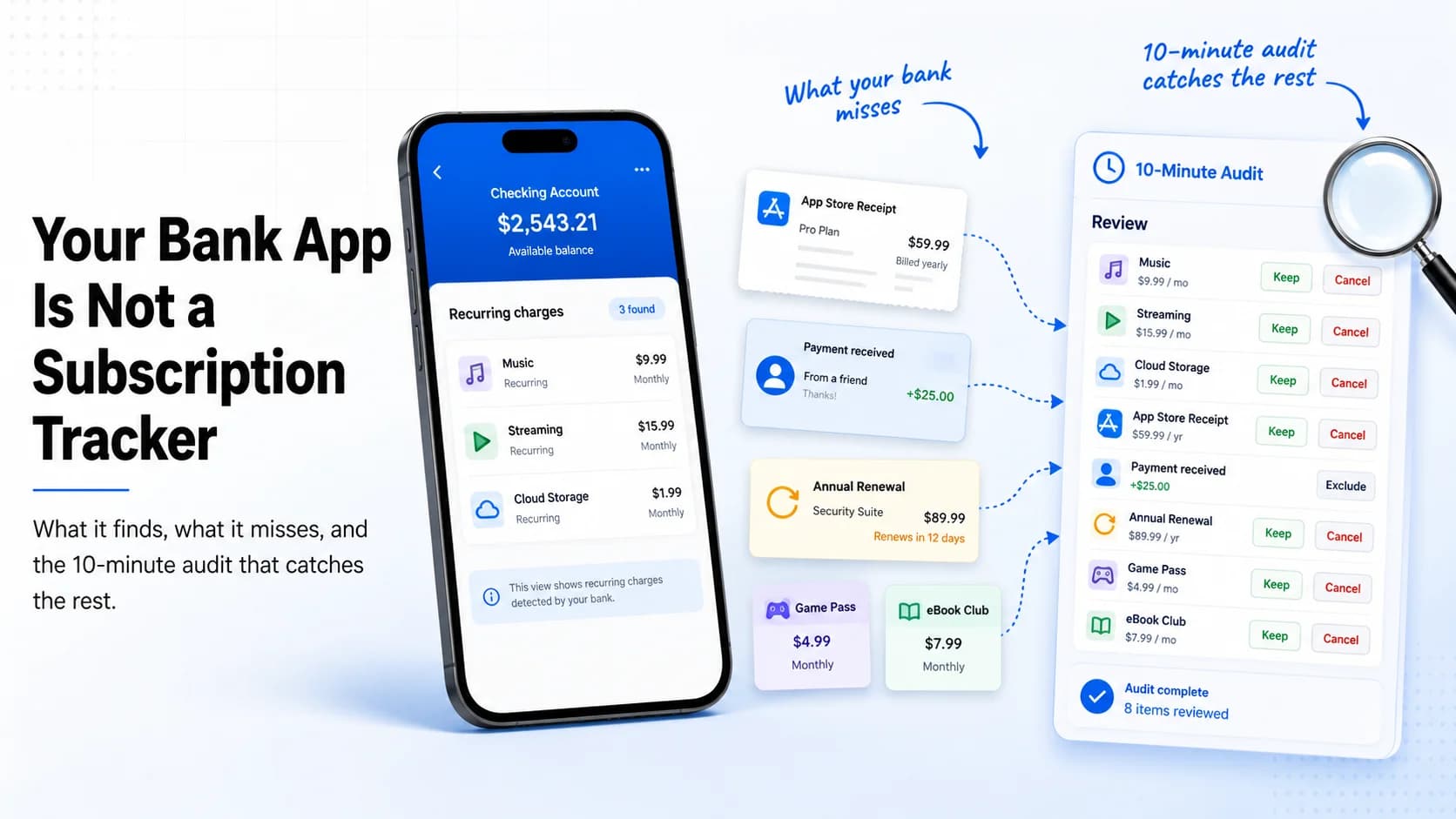
Table of Contents
Your bank app can be useful for spotting recurring charges. It is still not the same thing as a subscription tracker.
That distinction matters because a transaction feed answers one question: what charged this account? A subscription tracker has to answer several others: what exactly is this service, where do I cancel it, when does it renew, is it annual or monthly, do I still use it, and what else should I check before I assume the list is complete?
Last reviewed: May 17, 2026. This guide compares official documentation from Capital One, Chime, Apple, Google Play, and PayPal, then turns those limits into a practical cross-check workflow.
The useful conclusion is not "ignore your bank app." It is "use your bank app as one input, then finish the job somewhere built for subscription decisions."
What Bank Apps Actually Do Well
Modern bank apps are better than they used to be at surfacing recurring payments. Capital One, for example, says its in-app subscription manager can show recurring transactions on eligible credit cards with an anticipated charge date and amount. Chime says its Bills feature helps track recurring bills and subscriptions paid with a Chime card or account number.
That is useful for:
- Finding obvious repeats: the same merchant charging the same card on a regular rhythm.
- Seeing where money is already leaving: especially monthly card-based subscriptions.
- Flagging charges to review: a fast first pass before you open app stores or email receipts.
- Blocking some future card transactions: where the bank supports that action for eligible merchants.
For a quick cleanup, that first pass is valuable. It is just incomplete by design.
Where the Bank View Breaks
Official help pages make the limitations fairly clear once you line them up:
- Bank predictions depend on history. Capital One says anticipated charges are based on historical transaction data and may not be current after recent cancellations.
- Some bank tools need time to learn. Chime says a bill or transaction can take up to two billing cycles to appear in its Bills feature.
- Blocking is not cancellation. Capital One says blocking a recurring transaction does not cancel the subscription, and Chime says the best way to ensure cancellation is to contact the merchant directly.
- One descriptor can hide many services. Apple says an
apple.com/billcharge can represent apps, subscriptions, music, movies, or other Apple purchases. The bank line alone does not tell you which one. - Other payment systems keep their own subscription records. Google Play subscriptions live under the Google Account that bought them, and PayPal automatic payments are managed inside PayPal under the merchant agreement.
That means a bank app is usually best at finding visible recurring transactions on one account. It is much weaker at building a complete subscription inventory across app stores, PayPal, annual billing, family accounts, work cards, and services that have not charged recently.
Bank App vs. Subscription Tracker
| Question | Bank app | Subscription tracker |
|---|---|---|
| Did money leave this account? | Strong | Only if you recorded it |
| Is this likely recurring? | Often strong after enough history | Strong once entered |
| Which app sits behind an Apple or Google charge? | Weak | Strong if tracked with source |
| Where do I cancel it? | Sometimes | Strong if cancellation link is saved |
| Did I already cancel but still have paid access? | Weak | Strong with status and renewal notes |
| Should I keep, downgrade, pause, or rotate it? | Not really | Built for that decision |
| Can it combine app stores, PayPal, direct billing, and annual plans? | Usually no | Yes, if you maintain one list |
The bank app is the transaction layer. The tracker is the decision layer.
The 10-Minute Audit That Catches the Rest
This workflow is intentionally short. The point is to use your bank app first, then cross-check the systems that a bank app cannot fully explain.
Minutes 0-2: Open the bank app
- Open recurring transactions, bills, or merchant insights if your bank offers them.
- Scan for charges you do not immediately recognize.
- Write down the merchant name, amount, payment account, and next expected charge if shown.
- Do not treat "blocked" as "canceled." Keep anything uncertain on the review list.
Minutes 2-4: Check app stores
Apple and Google both keep subscription records outside the bank feed.
- iPhone: open Settings > [your name] > Subscriptions.
- Android: open Google Play > profile > Payments & subscriptions > Subscriptions.
Match anything billed through Apple or Google to the generic bank descriptors you found. This is where a vague apple.com/bill or Google charge becomes an actual app name.
Minutes 4-6: Check PayPal
PayPal calls these automatic payments, subscriptions, billing agreements, or recurring payments. The official path is Settings > Payments > Subscriptions and saved businesses.
Review every active merchant agreement. A PayPal subscription can be real even when the merchant name does not appear clearly in your bank app because PayPal sits in the middle.
Minutes 6-8: Search email receipts
Search for:
- subscription
- renewal
- trial
- receipt
- invoice
- the merchant names you found in the bank app
Email often reveals the thing your bank app cannot: the plan name, annual billing term, exact cancellation route, or a service that bills another card entirely.
Minutes 8-10: Put the kept list somewhere usable
For every subscription you keep, record:
- service name
- price and billing interval
- next renewal date
- payment method
- where to cancel
- the reason you are keeping it
If you cannot answer those six fields, you do not yet have a subscription system. You just have a transaction feed.
A Realistic Example
| What you see first | What it really is | Where you confirm it | Best next action |
|---|---|---|---|
| APPLE.COM/BILL - $12.99 | Photo editor monthly plan | Apple Subscriptions | Cancel if unused |
| PAYPAL *STREAMCO - $8.99 | Direct streaming subscription | PayPal automatic payments | Keep or cancel at merchant |
| No bank alert yet | Annual password manager renewal next month | Email receipt search | Add renewal reminder |
| GOOGLE charge - $4.99 | Kids learning app | Google Play Subscriptions | Cancel if no longer used |
The important pattern is simple: the bank app often gives you the clue, but a different system gives you the answer.
What to Track After the Audit
A useful subscription record should preserve the context your bank app does not:
| Field | Why it matters |
|---|---|
| Billing source | Shows whether cancellation lives in Apple, Google, PayPal, or the merchant site |
| Renewal date | Lets you review before the charge lands |
| Status | Separates active, paused, canceled, and already-paid-through dates |
| Last-used note | Turns a vague feeling into a decision rule |
| Cancellation URL or path | Removes friction when you decide to stop paying |
| Keep/cancel reason | Makes the next audit faster |
This is the part bank apps are not built to do for you. They are optimized for transactions. Subscription management is a separate workflow.
When a Bank App Is Enough
If you have only a few card-billed subscriptions, rarely use app stores or PayPal, and just need a quick monthly scan, a bank app may be enough for a first pass.
Once you have any mix of app-store purchases, PayPal agreements, annual plans, family subscriptions, work tools, or services you actively rotate, a dedicated tracker becomes more useful because the problem is no longer just detection. It is staying organized after detection.
The Fast Checklist
- Open your bank app's recurring-transactions or bills view.
- Write down every recurring merchant and anything unfamiliar.
- Check Apple Subscriptions and Google Play Subscriptions.
- Check PayPal automatic payments.
- Search email for subscription, renewal, trial, receipt, and invoice.
- Match vague descriptors to actual services.
- Cancel at the merchant or billing platform, not just by blocking the card charge.
- Track what you keep with renewal date, billing source, and cancellation path.
Related reading: run the broader bank statement audit, use the Google Play subscription audit if Android billing is part of the problem, or follow the complete cancellation guide once you know what needs to go.
Sources
- Capital One Help Center: Managing recurring transactions for recurring-charge visibility, predicted-charge limits, and the distinction between blocking and canceling.
- Chime Help Center: Can Chime help me manage my bills? for bill-tracking coverage and the two-billing-cycle delay note.
- Apple Support: Get help with charges from apple.com/bill for the fact that one Apple descriptor can cover apps, subscriptions, media, and more.
- Google Play Help: Cancel, pause, or change a subscription for Google Play subscription location and cancellation behavior.
- PayPal Help Center: Automatic payments for where PayPal stores recurring-payment agreements.
- Chime Help Center: How do I stop recurring payments? for the reminder that stopping future card charges is not the same as canceling with the merchant.
Alex Coca
Founder & CEO of SubBuddy. Alex writes practical subscription audit workflows for people who want renewal reminders and cancellation context without depending on a bank feed alone.
Turn Recurring Charges Into a Real Subscription List
Use SubBuddy to track what you keep with renewal dates, billing sources, cancellation links, and review notes after the bank-app pass is done.
Start Tracking FreeRelated Articles
How to Audit Your Bank Statement and Find Hidden Subscriptions in 30 Minutes
A broader workflow for finding recurring charges across checking, cards, PayPal, and app stores.
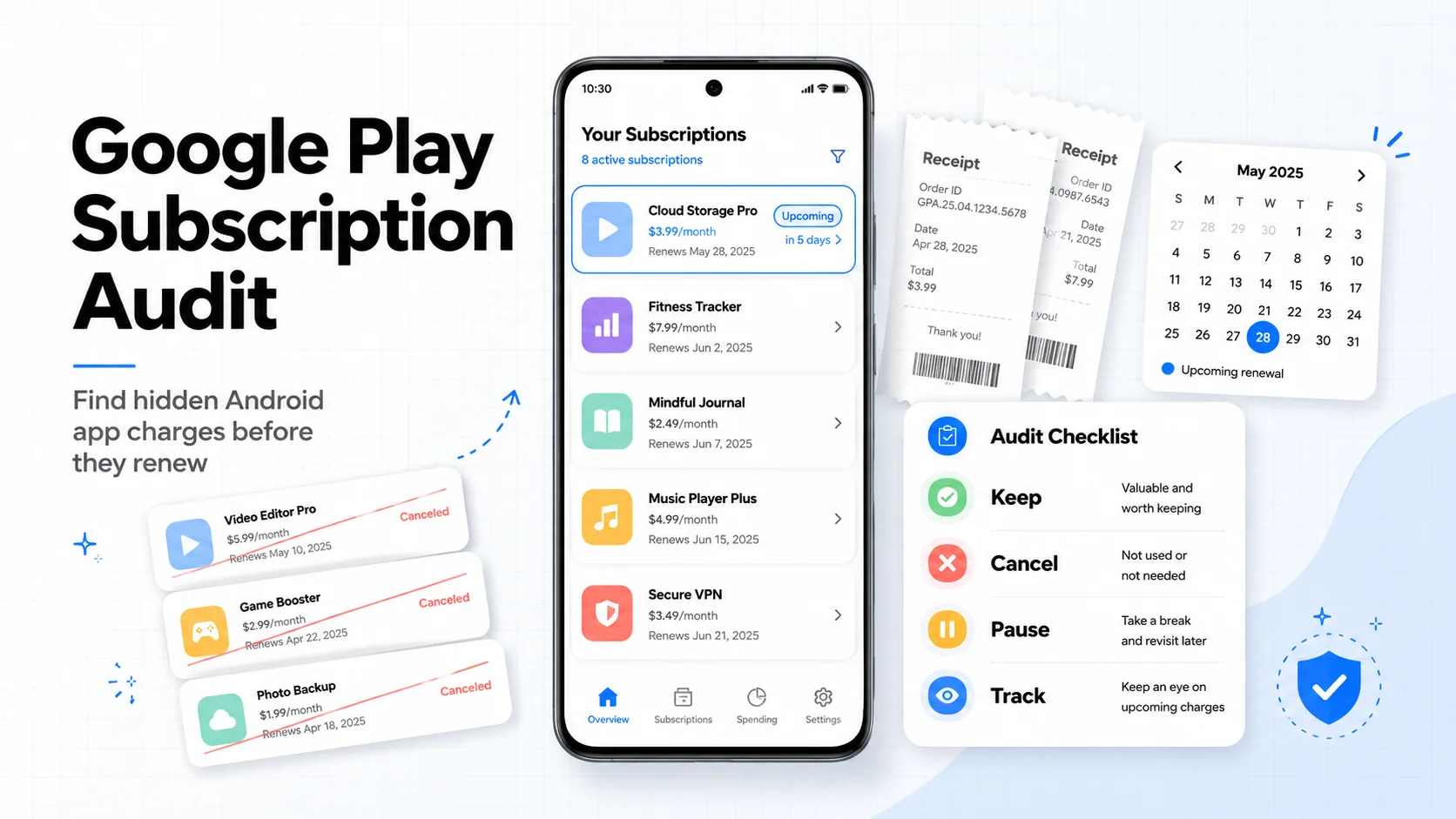
Google Play Subscription Audit: How to Find and Cancel Hidden Android App Charges in 10 Minutes
The Android-specific follow-up for checking Play Store subscriptions, refunds, and direct-billed apps.
The Complete Guide to Canceling Subscriptions on Every Platform (2026)
Once you know what to cut, use the platform-by-platform cancellation guide to finish the job correctly.