Recurring Bills Tracker: 5 Non-Subscription Expenses to Review Before They Renew
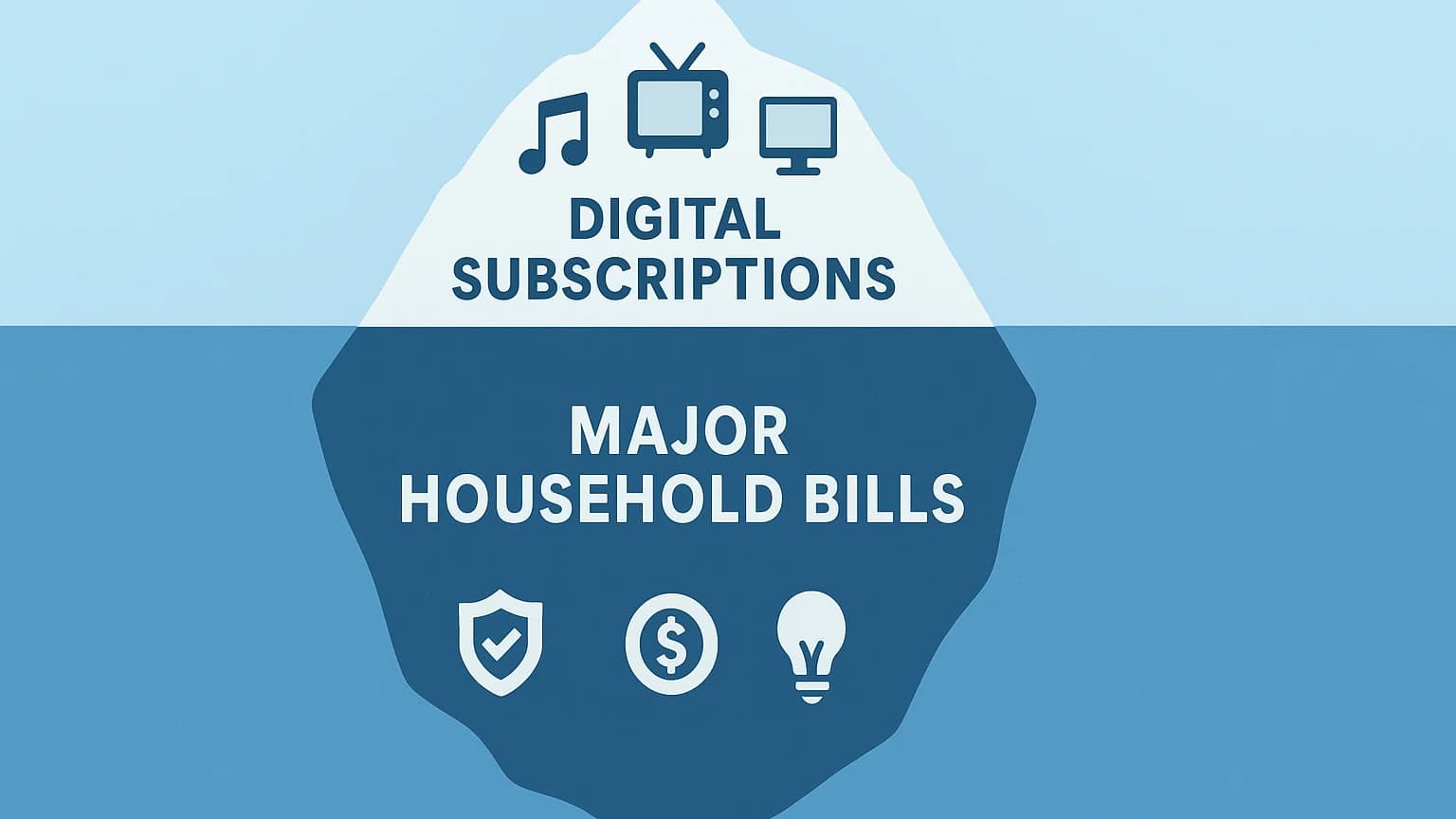
Table of Contents
Subscription tracking starts with Netflix, Spotify, iCloud, and the apps that renew every month. But the same pattern exists across the rest of your budget: insurance renews quietly, internet bills creep up, annual memberships hit once a year, and local services keep charging long after you stopped comparing options.
This guide turns those bigger recurring expenses into a simple tracker. It is not about forcing every bill into the word "subscription." It is about giving every repeat charge an owner, a review date, and a decision before it renews.
How to use this: Add each bill to SubBuddy with the amount, payment method, renewal or review date, and a short note explaining why you keep it. For variable bills, track the expected range instead of pretending the amount is fixed.
The Recurring Bills Tracker Framework
For each recurring bill, capture six fields:
| Field | Why it matters |
|---|---|
| Bill name | The merchant or service you will recognize on a statement. |
| Expected amount | Use a fixed amount for stable bills or a normal range for variable ones. |
| Payment method | Helps you find the charge quickly when a card expires or a bill changes. |
| Renewal or review date | The date you decide whether to keep, shop around, downgrade, or cancel. |
| Owner | Useful for couples, families, roommates, and small teams sharing payments. |
| Decision note | A short reason for keeping it, plus the trigger that would make you switch. |
The renewal date is the important part. Without it, bills only get reviewed after money leaves your account. With it, you create a decision point before the charge happens.
1. Insurance Premiums
Insurance is one of the highest-value categories to track because it renews quietly and prices can drift. Include auto, renters, homeowners, pet, health add-ons, device insurance, and any professional policies you pay for personally.
What to record
- Policy renewal date
- Monthly, quarterly, or annual premium
- Deductible and coverage limits
- Whether the current price was an intro rate
- Last date you compared quotes
Review rule: Set a reminder 30 days before renewal. That gives you enough time to compare quotes without making a rushed decision after the renewal notice arrives.
2. Internet, Mobile, and Household Utilities
Internet and phone plans are recurring bills with subscription behavior: they renew automatically, they add fees, and they often become worse deals over time. Electricity, water, and gas are usually variable, but they still deserve review because unusual jumps can reveal plan changes, seasonal spikes, or billing errors.
For fixed utilities like internet and mobile, add the exact monthly amount. For variable utilities, add a normal range such as "$90-140" and review anything outside that range.
Useful notes to keep
- Contract end date or promo expiration date
- Current speed, data, or plan tier
- Equipment rental fees
- Cancellation fee, if any
- Competitor price you would switch for
3. Loan and Debt Payments
Debt payments are different from subscriptions because cancellation is not the goal. The goal is visibility. Track rent, mortgage, car payments, student loans, credit-card minimums, buy-now-pay-later plans, and any recurring financing payment.
Seeing these next to subscriptions helps you avoid a common budgeting mistake: optimizing tiny app charges while ignoring the recurring payments that actually define your monthly cash flow.
What to record
- Payment date and minimum amount
- Interest rate
- Remaining balance, if useful
- Whether autopay is enabled
- Payoff or refinance review date
SubBuddy note idea: Add the interest rate to the notes field. It makes high-interest payments easier to prioritize during monthly reviews.
4. Annual Memberships and Once-a-Year Fees
Annual fees are easy to forget because they disappear for 11 months. This category includes warehouse clubs, Amazon Prime, credit-card annual fees, professional associations, antivirus plans, domain renewals, hosting, school portals, and niche memberships.
For each one, calculate the monthly equivalent. A $139 annual membership is not a surprise once-a-year expense; it is an $11.58 monthly commitment that bills annually.
| Annual fee | Monthly equivalent | Review question |
|---|---|---|
| $60 | $5.00/mo | Would I sign up again today? |
| $139 | $11.58/mo | Did the savings or usage beat the fee? |
| $299 | $24.92/mo | Is this still tied to an active project or business need? |
5. Home, Fitness, and Local Services
Local recurring services often avoid the "subscription" label, but they behave the same way in your budget. Track gym memberships, lawn care, cleaning, pest control, storage units, home security, tutoring, coworking, parking, and recurring maintenance plans.
The decision is not always cancel. Sometimes it is changing frequency, renegotiating, or replacing a recurring plan with as-needed service.
Review prompts
- Did I use this enough in the last 30 days?
- Would I choose the same provider again?
- Can the cadence drop from weekly to biweekly or monthly?
- Is there a cheaper local provider with the same result?
- Is the service still solving a current problem?
How to Set This Up in SubBuddy
SubBuddy is built for subscriptions, but it works well for repeat bills because the structure is the same: amount, cadence, renewal date, category, and reminder.
- Add the bill as a recurring item.
- Choose the closest category, such as Utilities, Insurance, Business, or Other.
- Set the renewal date to the next actual charge date for fixed bills.
- For variable bills, set a monthly review reminder instead of a fake fixed amount.
- Use notes for contract terms, account owner, phone number, cancellation fee, or quote target.
This keeps your subscription dashboard honest. You are not just tracking apps; you are tracking the recurring commitments that shape your monthly budget.
The 20-Minute Monthly Review
Once the tracker is built, review it monthly:
- Scan renewals in the next 30 days. Cancel, negotiate, or shop around before the charge.
- Check variable bills against their normal range. Investigate anything unusually high.
- Update notes after calls or plan changes. Future you needs the context.
- Archive what ended. Keep the system clean so active bills stay visible.
The benefit is not a perfect spreadsheet. The benefit is fewer surprises, cleaner decisions, and a single place to answer: what keeps charging me?
Sources and Bill Tracking Notes
This tracker is a practical budgeting workflow. It uses CFPB and consumer.gov guidance for automatic payments, bill calendars, budgeting, and stopping automatic debits as review anchors. For loans, insurance, utilities, or contracts, confirm the terms with your provider before canceling, switching, or changing payment methods.
- CFPB: how automatic payments from a bank account work
- CFPB: how to stop automatic payments from a bank account
- CFPB bill calendar guidance
- consumer.gov budget guidance
Next, run the full bank statement audit to catch subscriptions and recurring bills you forgot to add, or use the small business software audit checklist if you also manage SaaS tools for work.
Alex Coca
Founder & CEO of SubBuddy. Alex built SubBuddy after realizing recurring expenses were easiest to manage when every renewal had a visible date, owner, and decision.
Track Every Recurring Bill in One Place
Add subscriptions, utilities, memberships, and renewal dates to SubBuddy so repeat charges stop surprising you.
Start Tracking for FreeRelated Articles
How to Audit Your Bank Statement and Find Hidden Subscriptions in 30 Minutes
Stop letting forgotten subscriptions drain your bank account. This step-by-step guide shows you exactly how to audit your statements, identify hidden charges, and reclaim your money.
Small Business Software Subscription Audit Checklist
Audit every business software subscription by owner, seats, usage, renewal date, duplicate coverage, and cancellation risk.
How Much Does the Average American Spend on Subscriptions? What the Best Data Shows
There is no single perfect subscription average. Current public studies measure different baskets, from broad subscription spending to streaming-only costs.