Is Your Bundle Actually Saving You Money? The 2026 ROI Calculator for Apple One, Amazon Prime, and Walmart+
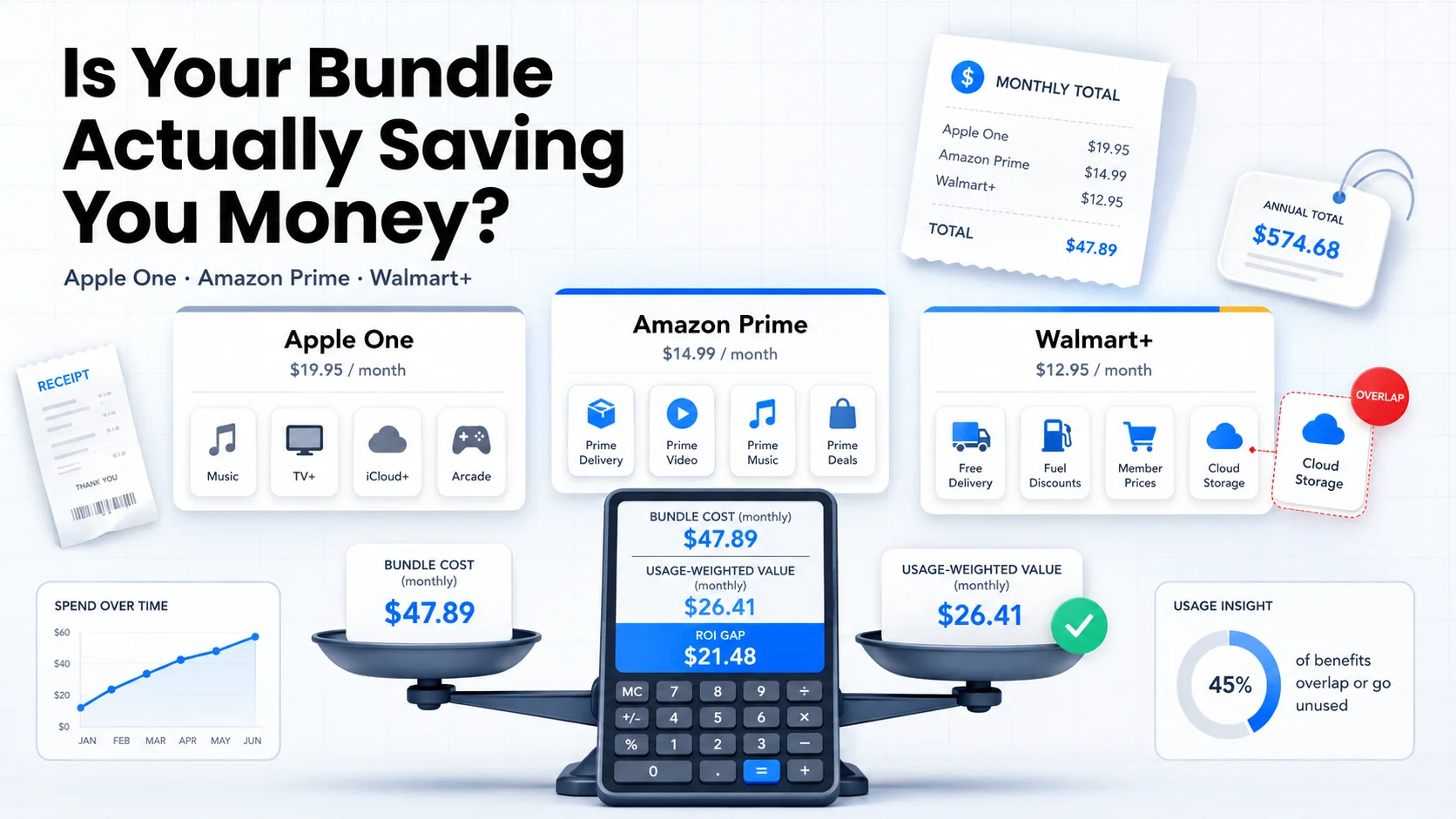
Table of Contents
The bundle pitch is simple: pay one price, get five services, save money versus buying each separately. It is the most common marketing claim in the subscription economy right now, and it is often technically true — as long as you actually use every service in the bundle, at full standalone price, forever.
Most people do not. They buy Apple One because they already pay for iCloud. They keep Amazon Prime because shipping is convenient. They signed up for Walmart+ because it came with a streaming benefit. Then they never open Arcade, ignore Prime Music because they have Spotify, and forget to activate the streaming service. The bundle is still charging them the full bundle price every month regardless.
This guide runs the math that bundle marketing pages skip. For each of the three most widely held consumer bundles in the US — Apple One, Amazon Prime, and Walmart+ — it shows the real May 2026 standalone prices, introduces a usage-weighted ROI framework for calculating your personal value, and gives you a decision rule for whether to keep, downgrade, or break the bundle.
Last reviewed: May 21, 2026. Prices below reflect current published rates for each service as of this date. Bundle contents and standalone prices change frequently — verify at each service's pricing page before acting.
Methodology & Source Note:
Standalone and bundle prices are sourced from each service's published US pricing page as of May 21, 2026. The usage-weighted ROI framework is a calculation method developed for this post. Bundle contents are verified against official service descriptions. Prices are in USD and reflect the standard monthly plan unless noted.
Why Bundle Math Usually Favors the Seller
Every bundle marketing page shows you a comparison like this: "Worth $X individually. You pay only $Y. Save $Z." That calculation is real — but it rests on three assumptions that are almost never all true at the same time:
- You would subscribe to every included service individually. Most people wouldn't. They already have Spotify instead of Apple Music, or Google Photos instead of Apple iCloud, or they simply never watch Apple Arcade games.
- You would pay full standalone price for each one. Some services in bundles are already discounted, already included through a carrier plan, or already shared through a family member's account.
- You actively use every service. A service you never open has a value of $0 to you — no matter what its standalone price is.
When any of those assumptions fail, the "paper savings" shrinks. When multiple assumptions fail, the bundle can cost more than the value you extract from it.
Bango research finds that nearly two-thirds of US consumers say they would switch or stay loyal to a provider that offers a unified subscription hub — a sign that the appeal of bundling is genuine. Convenience is real, though. It is a different benefit than savings, and these are worth separating before you pay for them.
The Bundle ROI Framework
The fix is a usage-weighted value calculation. Instead of adding up full standalone prices for every service, you weight each price by how much you actually use the service:
The Formula
Usage-weighted value = sum of (standalone price × usage score) for each included service
Usage scores:
- 1.0 — Use it weekly or more. You'd pay for it separately without hesitation.
- 0.5 — Use it monthly or occasionally. Nice to have, but you could live without it.
- 0 — Rarely or never open it. Already have a competing service. Or simply don't care.
If usage-weighted value > bundle price, the bundle is working for you.
If usage-weighted value < bundle price, you are subsidizing services you don't use.
Run through it once per bundle, once per year (or after any price change), and you will have a clear answer instead of a guess.
Apple One — May 2026
Apple One is the most widely discussed consumer bundle in the US. It comes in three tiers and is worth examining carefully because the value gap between what is claimed and what most people actually use is significant.
Current Pricing and Contents
| Tier | Bundle Price | Includes | Full À La Carte Total |
|---|---|---|---|
| Individual | $19.95/mo | Apple Music, Apple TV+, Apple Arcade, iCloud+ 50GB | $31.96/mo |
| Family | $25.95/mo | Same as Individual + Family Sharing (up to 6) | ~$39.96/mo |
| Premier | $37.95/mo | Individual + Apple News+, Apple Fitness+, iCloud+ 2TB | ~$69.94/mo |
Sources: Apple One pricing page. À la carte totals are calculated from individual service prices: Apple Music Individual $10.99, Apple Music Family $16.99 for Family/Premier, Apple TV+ $12.99, Apple Arcade $6.99, iCloud+ 50GB $0.99, iCloud+ 200GB $2.99, iCloud+ 2TB $9.99, Apple News+ $12.99, Apple Fitness+ $9.99.
The Individual Tier: Who It Works For
At $19.95 versus a $31.96 à la carte total, the Individual plan saves $12.01/month — if you use all four services. Run the usage-weighted calculation and a different picture emerges for most people:
| Service | Standalone | Usage score (example: Spotify user) | Weighted value |
|---|---|---|---|
| Apple Music | $10.99 | 0 (already pays Spotify) | $0 |
| Apple TV+ | $12.99 | 0.5 (watches occasionally) | $6.50 |
| Apple Arcade | $6.99 | 0 (not a mobile gamer) | $0 |
| iCloud+ 50GB | $0.99 | 1.0 (actively uses) | $0.99 |
| Total | $31.96 | $7.49 |
In this scenario, the user is paying $19.95 for $7.49 of personal value. The bundle costs them $12.46 more per month than what they would choose to pay for separately.
The individual plan works well when you genuinely use Apple Music as your primary streaming service (not Spotify or YouTube Music), watch Apple TV+ regularly, and already pay for iCloud storage. If two of those three are true, you are near breakeven or better. If only one is true, run the calculation.
The Premier Tier: Where the Gap Gets Wide
Premier's paper savings look dramatic: $69.94 à la carte versus $37.95. But Apple News+ ($12.99/month) and Apple Fitness+ ($9.99/month) together add $22.98 of standalone value to the calculation — and most people who haven't specifically sought those services won't use them.
The Premier plan is worth the price for someone who: reads long-form magazine content frequently, works out at home and uses Fitness+ regularly, streams Apple TV+ weekly, listens to Apple Music daily, and needs 2TB of iCloud storage. That is a real profile. It is also a narrow one.
If you subscribed to Premier primarily because you needed the 2TB iCloud upgrade, note that iCloud+ 2TB is $9.99/month as a standalone. Premier costs $37.95. The other five services would need to provide $27.96 of real, usage-weighted value to you for that to make sense.
Amazon Prime — May 2026
Amazon Prime is the most widely held bundle in the US at $14.99/month ($139/year, which works out to $11.58/month). Its value is harder to calculate than Apple One because a significant part of its worth depends on a behavior rather than a service: how often you shop on Amazon.
What Prime Actually Includes
- Prime Video — full streaming catalog of Amazon Originals and licensed content, plus access to add-on Prime Video Channels at extra cost.
- Prime Music — access to over 100 million songs, podcasts, and playlists. Note that on-demand playback has some restrictions on shared or certain device setups; Amazon Music Unlimited ($10.99/month extra) removes those limits entirely if you need unrestricted on-demand listening.
- Prime Gaming — a rotating selection of free PC games and in-game content for titles like League of Legends, GTA Online, and others.
- Free 2-day shipping — on eligible Prime items, with same-day delivery available in many markets.
- Amazon Photos — unlimited full-resolution photo storage, plus 5GB video storage.
- Prime Reading — a rotating selection of e-books and magazines (not the full Kindle Unlimited catalog).
- Whole Foods discounts — 10% off select items and exclusive Prime member deals at Whole Foods locations.
The Shipping Value Calculation
The clearest way to anchor Prime's value is through shipping. Standard delivery without Prime typically runs $0.99 to $7.99 per order depending on the item and speed. If you assume an average of $5 saved per order:
| Amazon orders/month | Estimated shipping saved | Prime cost (annual plan) | Net result |
|---|---|---|---|
| 1–2 orders | ~$5–$10 | $11.58 | Paying more than you save on shipping alone |
| 3–4 orders | ~$15–$20 | $11.58 | Near breakeven on shipping — Prime Video tips the balance |
| 5+ orders | ~$25+ | $11.58 | Shipping alone covers the cost — Prime Video is a bonus |
If you order from Amazon less than three times a month on average, Prime's value depends almost entirely on Prime Video and how you value that against services you already pay for. For light Amazon shoppers who also subscribe to Netflix and Hulu, Prime Video often becomes a redundant streaming service that does not displace anything — it just adds to the stack.
The Prime Music Overlap Trap
Prime Music now covers over 100 million songs, which puts it in the same catalog-size range as Spotify and Apple Music. Even so, many Prime subscribers keep a separate music service out of habit or because they prefer a different app or curated experience. If that describes you, Prime Music is contributing $0 of replacement value to your calculation — you are paying for two music services and using one.
Walmart+ — May 2026
Walmart+ costs $12.95/month or $98/year ($8.17/month on the annual plan). The streaming benefit was expanded in late 2025 and is now more flexible than most people realize.
What Walmart+ Includes
- Streaming benefit — your choice of Paramount+ Essential or Peacock Premium with ads, switchable every 90 days. Only one is active at a time. Standalone value depends on the service: roughly $8.99/month for Paramount+ Essential or $10.99/month for Peacock Premium. This means you can alternate between the two libraries on a quarterly schedule rather than committing to one permanently.
- Free delivery from Walmart stores — no order minimum on groceries and general merchandise, same-day available.
- Fuel savings — approximately 10¢/gallon at Walmart, Murphy, and Sam's Club fuel stations.
- Scan & Go — skip the checkout line at Walmart stores via the app.
The Fuel Savings Calculation
The average US gas tank holds about 12 to 15 gallons. At 10¢ savings per gallon and 2–4 fill-ups per month near a Walmart or Murphy station:
| Fill-ups/month | Fuel savings (12 gal avg) | Streaming benefit value | Combined value |
|---|---|---|---|
| 2 fill-ups | $2.40 | ~$8.99-$10.99 | $11.39-$13.39 vs $8.17/mo annual |
| 4 fill-ups | $4.80 | ~$8.99-$10.99 | $13.79-$15.79 vs $8.17/mo annual |
| 0 fill-ups (no nearby station) | $0 | ~$8.99-$10.99 | $8.99-$10.99 vs $8.17/mo annual |
Even with no nearby fuel station, a Walmart+ annual subscriber who actively uses either the Paramount+ or Peacock benefit is roughly at breakeven or slightly ahead before counting grocery delivery value. The ability to switch between the two every 90 days also adds practical flexibility: you can follow a specific show on one service, then rotate to the other when a new season drops.
The Overlap Trap: What You Might Be Paying for Twice
The most common money leak inside subscription bundles is not that the bundle is a bad deal. It is that people pay for a bundle that includes a service they are also paying for separately — or that is already included through a carrier plan they already have.
Check each of these overlap scenarios against your own subscriptions:
| If you have this bundle… | Check whether you also pay for… | Monthly leak if overlapping |
|---|---|---|
| Walmart+ | Paramount+ or Peacock separately (Walmart+ lets you choose one of these every 90 days) | ~$8.99-$10.99/mo wasted |
| Apple One (any tier) | Apple TV+ via T-Mobile, Verizon, or another carrier deal | $12.99/mo counting twice |
| Apple One (any tier) | Spotify or YouTube Music as your primary music app | ~$10.99/mo Apple Music value = $0 |
| Apple One Premier | Gym membership or another fitness app (Peloton, Nike Training, etc.) | $9.99/mo Fitness+ value = $0 |
| Amazon Prime | A separate music service while Prime Music goes unused | Prime Music contributes $0 if you don't use it |
| Amazon Prime | Google Photos or iCloud+ as your primary photo backup | Amazon Photos value = $0 |
The overlap trap is the hardest to notice because the payments are buried in different line items. A monthly Walmart+ subscriber who also pays Paramount+ or Peacock separately is spending about $21.94-$23.94/month for a combination that should cost $12.95. The fix takes two minutes: cancel the standalone subscription and activate it through Walmart+ instead.
Bundle Decision Framework
After running the usage-weighted value calculation and checking for overlaps, apply this decision table:
| Scenario | Decision | Action |
|---|---|---|
| Usage-weighted value > bundle price by $5+ | Keep | Confirm renewal date, set a review reminder in 6 months |
| Usage-weighted value ≈ bundle price (within $5) | Keep and watch | Set a 3-month review; recalculate after any price change |
| Usage-weighted value < bundle price by $5–$15 | Downgrade | Drop to a lower tier (e.g., Apple One Individual → pay for iCloud only) or remove add-ons |
| Usage-weighted value < bundle price by $15+ | Break the bundle | Cancel the bundle; subscribe only to the services you actually use at their standalone price |
| You identified an overlap (paying for an included service separately) | Fix immediately | Cancel the standalone subscription and use the bundle's version instead |
One additional scenario worth naming: if you are in a bundle primarily for one service and the rest contribute close to zero, compare the bundle price directly against that service's standalone price. Apple One Individual at $19.95 just for iCloud+ 50GB ($0.99) and Apple TV+ ($12.99) costs $5.97 more per month than subscribing to both directly.
What Can Change the Math Quickly
Three things regularly shift bundle ROI calculations and should trigger a fresh review:
- Bundle price increases. Apple raised Apple One prices in late 2023. Amazon raised Prime in 2022. When a bundle price goes up, the math changes even if nothing else does. Always recalculate after a price increase notice — do not assume the deal still holds.
- Service additions or removals. Bundles regularly swap included services. Walmart+ expanded its streaming benefit to offer a choice between Paramount+ and Peacock, switchable quarterly. A service that was previously in the bundle may no longer be, or something new may have been added that changes your calculation.
- Your usage patterns change. You switch from Apple Music to Spotify. You cancel your gym membership and start using Fitness+. You stop watching Prime Video because you subscribed to Netflix. Re-run the usage scores at least once a year, or whenever you add or drop a competing service.
How to Track Bundles in SubBuddy
Bundles create a tracking problem: they appear as one line item in your bank statement but represent multiple services. A few ways to handle this in SubBuddy:
- Track the bundle as a single subscription with a note listing which services are included and your current usage score for each. Update the note whenever you run the ROI calculation.
- Mark overlapping standalone subscriptions immediately. If you find a Paramount+ or Peacock overlap from Walmart+, tag the standalone card as "Redundant — cancel" so it is visible in your list before the next renewal.
- Set a 6-month review alert. Bundles shift. Set a recurring reminder to re-run the usage-weighted calculation every 6 months, or 30 days after any price increase notice.
- Record the bundle's renewal date and payment method. Bundles are typically annual plans that renew quietly. A 30-day pre-renewal alert gives you enough time to cancel if the math has changed.
Bundle ROI Checklist
- List every service included in your bundle. Check the official bundle page — inclusions change.
- Find the current standalone price for each service (verify — do not rely on memory).
- Assign a usage score (1.0, 0.5, or 0) to each service based on your actual behavior.
- Multiply price × usage score for each service. Sum the results.
- Compare the usage-weighted total against the bundle price. Apply the decision table.
- Check for overlaps: services included in the bundle that you also pay for separately.
- Cancel redundant standalone subscriptions immediately if you find overlaps.
- Set a review reminder for 6 months from today, or immediately after the next price increase notice.
Related reading: if you are breaking a bundle to rotate services instead, the subscription rotation playbook covers the timing. For the current state of streaming prices across individual services, see the 2026 price hike tracker. If you want to audit what you're paying across all payment methods before running these calculations, start with the bank app vs. subscription tracker guide.
Sources
- Apple One pricing page for current Individual, Family, and Premier tier prices and included services.
- Amazon Prime pricing page for current monthly and annual plan prices and included benefits.
- Walmart+ pricing page for current monthly and annual plan prices and included benefits including the Paramount+ / Peacock streaming benefit.
- Bango: Top bundling and subscription trends to watch in 2026 for bundling preference data including the two-thirds consumer loyalty finding.
- Bango: Multi-way bundles in the subscription economy for context on cross-company bundle growth.
- JustPricing: Subscription economy statistics 2026 for broader context on US household subscription counts and spend.
Alex Coca
Founder & CEO of SubBuddy. Alex writes practical subscription frameworks for people who want to pay for what they use and stop subsidizing what they don't.
Track Your Bundles Before the Next Renewal
Log your bundle components, usage notes, and renewal dates in SubBuddy. Set a 6-month review alert so you re-run the math before the next price change catches you off guard.
Start Tracking FreeRelated Articles
The Subscription Rotation Playbook: How to Watch Everything for $15–30/Month in 2026
If breaking a bundle means losing access to a streaming service, the rotation playbook shows how to time subscriptions around release schedules instead of paying all year.
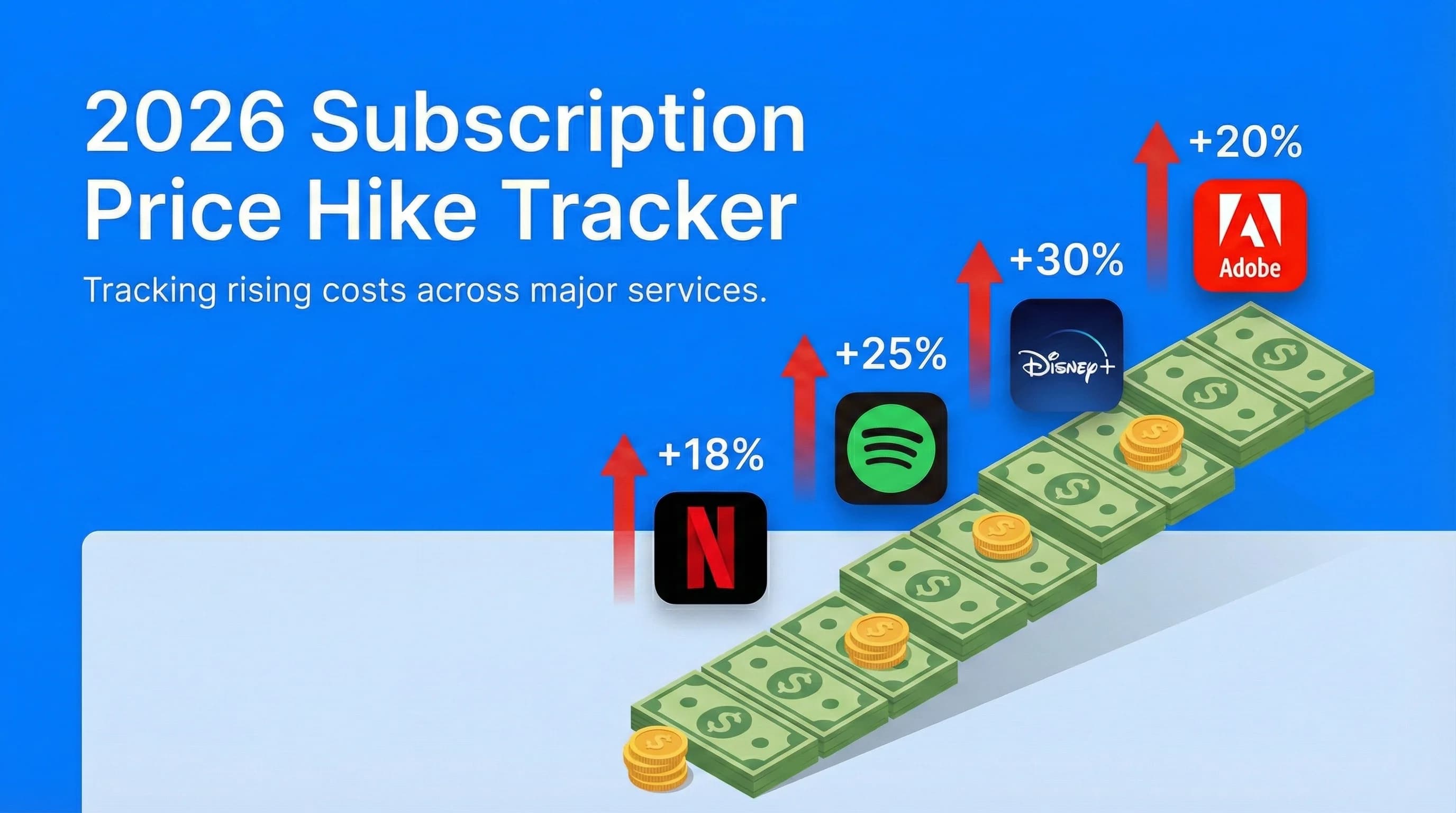
2026 Subscription Price Hike Tracker: Every Service That Raised Prices This Year
Bundle math changes every time a service raises its price. This tracker covers all confirmed 2026 increases so you know when to recalculate.
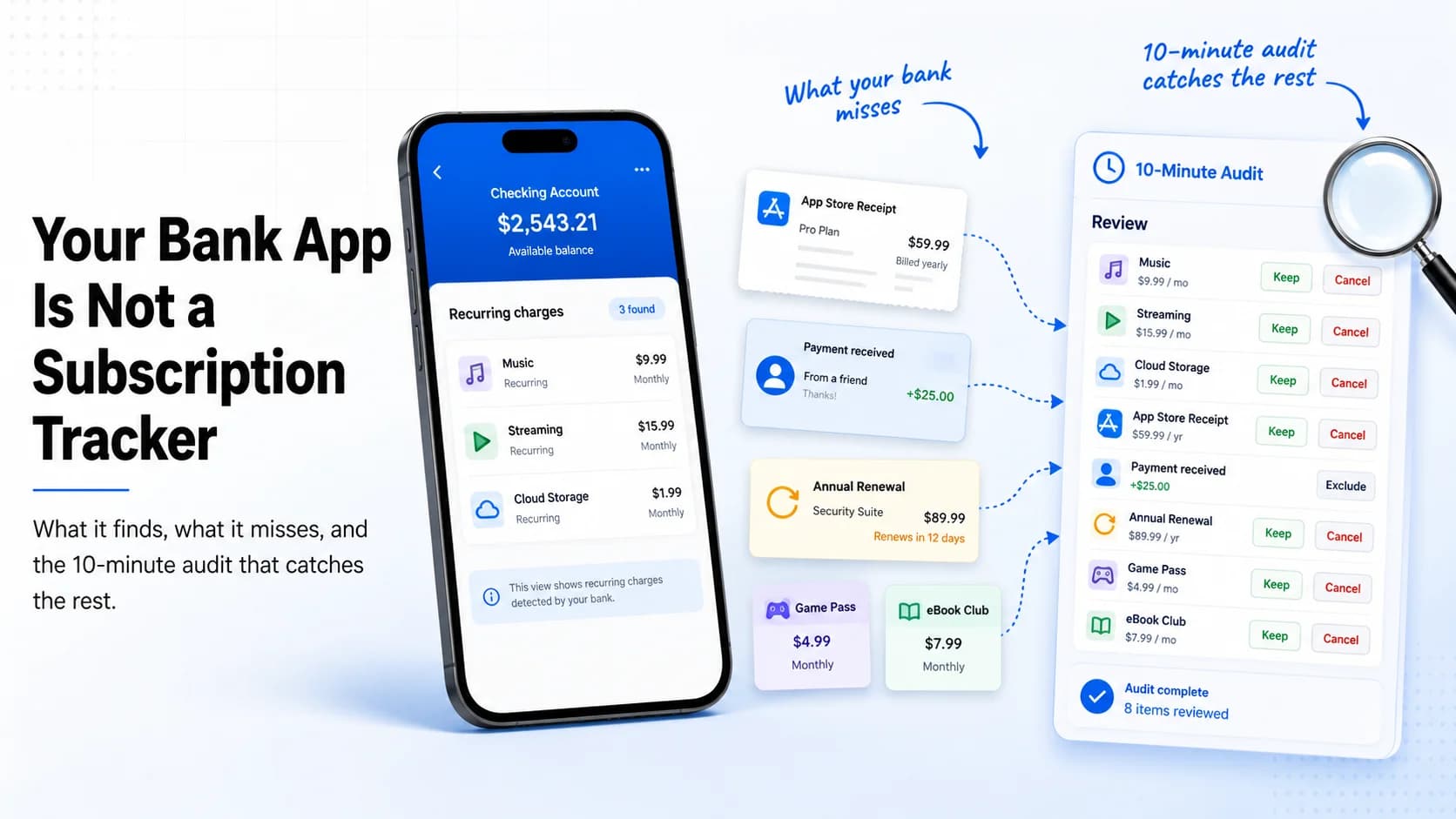
Your Bank App Is Not a Subscription Tracker: What It Finds, What It Misses, and the 10-Minute Audit That Catches the Rest
Before running bundle ROI calculations, find every subscription you actually have — including the ones your bank statement doesn't label clearly.