The Subscription Retention Offer Playbook: What Streaming Services Actually Offer When You Try to Cancel (May 2026)
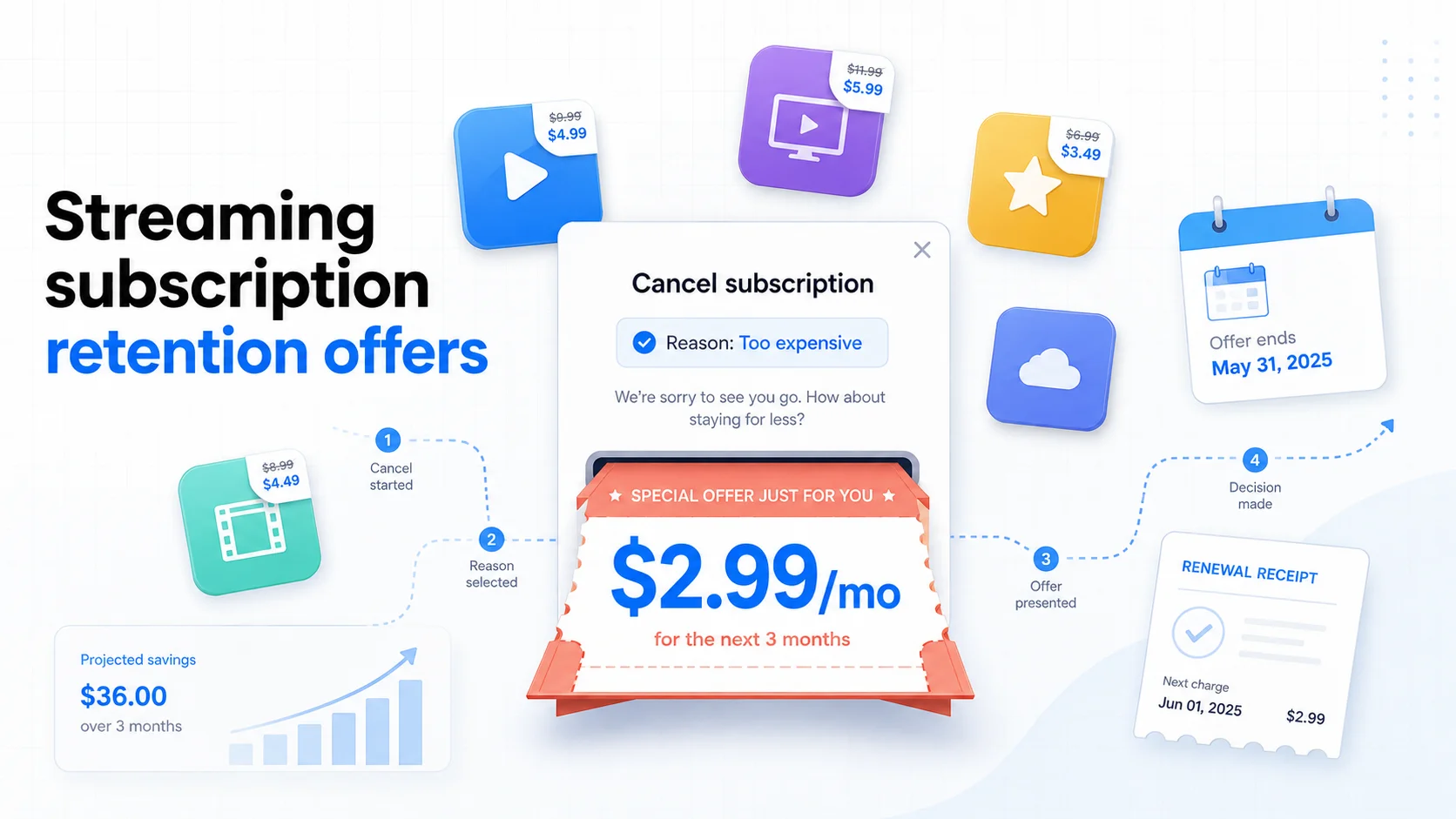
Table of Contents
The cheapest way to get a discount on most streaming services in 2026 is not a promo code, a student plan, or a bundle. It is the cancellation button.
Most major streaming apps now run a "retention flow" — a short series of screens between you and the cancel confirmation. Somewhere inside that flow, a discount usually appears: a few months at a steep discount, a free extension, or a downgrade to an ad-supported tier at a lower price. Click cancel for the right reason and the app will pay you to stay.
This playbook compiles the retention offers publicly reported across 10 major services as of May 2026, the exact path that triggers them, the two services that refuse to negotiate at all, and a 6-month rotation strategy that chains these discounts together.
Last reviewed: May 20, 2026. Retention offers vary by account, region, plan, and tenure. The figures below reflect offers publicly reported by cancellation-flow trackers (LowerMySubs, JustCancel, Orbit) between January and May 2026. Treat them as the typical ceiling, not a guarantee.
Methodology & Source Note:
Offers were compiled from three independent cancellation-flow trackers that document live retention screens, cross-checked against each service's published help pages where available. We also reviewed California's amended Automatic Renewal Law (AB 2863, effective July 1, 2025), which constrains how many retention offers a covered service may show inside a cancellation flow. Where reported discounts vary, the most commonly observed offer is used.
What a "Retention Offer" Actually Is
A retention offer is a discount that appears inside the cancellation flow itself. You click "Cancel subscription," answer a reason prompt, and before the cancel confirms, the service presents a one-time deal — usually 50% off for 3 to 6 months, a fixed low monthly price, a free extension, or a downgrade to an ad-supported tier at a lower price.
These offers are automated. You do not need to call anyone, escalate to a manager, or argue with a chatbot. The flow itself is the negotiation. The only thing you control is which reason you select and whether you click "Accept offer" or "Continue to cancel."
That makes retention offers fundamentally different from credit card retention calls (where you negotiate with a human) and free trial extensions (which require a support ticket). Streaming retention is a self-serve product surface — and it is designed to be triggered, not just stumbled into.
What Each Service Offered (May 2026)
The table below summarizes the most commonly reported retention offer across major streaming and consumer subscription services. "Reported ceiling" is the strongest offer observed in public cancellation-flow trackers in 2026 — not a guarantee for every account.
| Service | Retention Offer? | Reported Ceiling (2026) | Typical Length |
|---|---|---|---|
| Hulu | Yes | $2.99/mo (ad-supported) | 3 months |
| Peacock | Yes | ~73% off (often $2.99/mo) | 6 months |
| Max (HBO Max) | Yes | ~50% off | 3 to 6 months |
| Apple TV+ | Yes | Free extension | ~3 months |
| Disney+ | Yes | Discount or ad-tier downgrade | Varies |
| Paramount+ | Yes | Reduced monthly price | Varies |
| YouTube Premium | Yes | Discount or pause | 1 to 6 months |
| Spotify Premium | Yes | 3 months at discount | 3 months |
| Netflix | No | Ad-tier downgrade only | N/A |
| Amazon Prime Video | No | No in-flow discount | N/A |
Three patterns worth noticing:
- Peacock and Hulu run the deepest discounts. A retention-triggered $2.99/month plan is roughly a 70% to 75% discount against standard ad-supported pricing in May 2026.
- Apple TV+ pays in time, not money. It is one of the few services that extends your existing subscription for free instead of dropping the price.
- Netflix and Amazon Prime Video are the two consistent holdouts. Netflix may suggest the ad-supported tier as a downgrade, but does not offer a price cut on the plan you are leaving. Amazon does not show a retention price at all on Prime Video.
The 4-Step Trigger Playbook
Most people who hit the cancel button never see the best offer because they do not select the reason that triggers it. The retention engine is conditional logic — different "why are you canceling?" answers route to different offers. Here is the sequence that consistently surfaces the strongest discount.
Step 1: Cancel from the web, not the app
App-store-billed subscriptions (when you subscribed through Apple or Google) usually skip the retention flow entirely and route you straight to the platform cancellation screen. To see a retention offer, the billing relationship must be direct with the merchant. Log into the service from a browser and start the cancellation there.
If your subscription is billed by Apple or Google, the retention flow is not available to you — but you can usually cancel cleanly inside Settings > Subscriptions (iPhone) or Google Play > Payments & subscriptions (Android) without retention friction at all. That is a fair trade.
Step 2: Choose "too expensive" or "cost" as the reason
This is the single highest-leverage choice in the entire flow. Reasons like "not enough content," "moving," "technical issues," or "using a different service" route to apology screens or troubleshooting offers, not money. "Too expensive," "price," or "cost" is the path that activates the discount engine.
If the service asks a follow-up question, stay consistent: it is about price, not about content.
Step 3: Pause before clicking the final confirm
The retention offer screen often appears after a "Are you sure you want to cancel?" page. Many users click through both screens reflexively and never see the discount. Read each screen. The "Accept offer and stay" button is usually quieter than the red "Cancel my subscription" button by design.
Step 4: Screenshot the offer before accepting
Save a screenshot showing the discounted price, the duration, and the renewal date that the offer ends on. Retention discounts almost always revert to full price at the end of the promo, and most flows do not send a reminder before that happens. The screenshot becomes your renewal-reminder anchor.
The California "One Offer" Rule
California's amended Automatic Renewal Law (AB 2863), effective for covered contracts entered into, amended, or extended on or after July 1, 2025, materially changes how retention flows are allowed to work for California residents and covered accounts.
Two provisions matter most:
- Single retention offer. A business that allows online sign-up may present at most one save attempt during a cancellation flow before completing the cancellation. The era of three or four stacked retention pages chained together is over for covered accounts.
- Simultaneous click-to-cancel option. The retention offer must be shown alongside a clear "cancel now" option — not after the user is forced to dismiss the offer first.
For consumers, this means California-covered accounts see a cleaner flow with a single decision point. For services, it raises the stakes of the one offer they are allowed to make — which is why several reported discounts have actually gotten stronger in 2026 rather than weaker.
If you are unsure whether your account qualifies, log in and confirm your billing or shipping address is accurate. The flow you see is driven by what the service knows about you, not what you can prove.
Accept or Walk: A Simple Decision Rule
A retention offer is only a win if you actually use the service during the promo. Otherwise you have just talked yourself into paying for the same idle subscription at a discount.
Apply this rule:
| Situation | Right move |
|---|---|
| Used it weekly in the last month, going through a price hike | Accept the offer. You were going to keep it anyway. |
| Used it occasionally, has one upcoming release you want | Accept if the discount runs through that release. Otherwise walk. |
| Have not used it in 30+ days | Walk away. A discount on something you ignore is still wasted money. |
| Signed up for one show that is over | Walk away. Re-subscribe when the next season drops. |
| Have a duplicate (via a carrier bundle, family plan, or work account) | Walk away. You already have access through another channel. |
The most expensive subscription is not the one you forget about. It is the one you almost canceled and were nudged into keeping at 50% off.
The 6-Month Retention Stack
Here is the non-obvious move. If you genuinely want to keep more than one streaming service but at a fraction of full price, you can chain retention offers across a rotation calendar.
The principle: at any given time, you keep one or two services at full price (the ones you actually use heavily), and you cycle others through their cancellation flow at 6-month intervals to collect their retention discount whenever you re-engage.
A realistic 6-month stack looks like:
| Month | Action | Expected savings |
|---|---|---|
| Month 1 | Subscribe to Hulu at full price for a specific show, queue Peacock cancel | Establish baseline |
| Month 2 | Start Peacock cancel flow, accept retention offer ($2.99/mo for 6 months) | ~70% off Peacock |
| Month 3 | Start Hulu cancel flow when the show ends, accept retention offer | ~60% off Hulu |
| Month 4 | Add Max for one release, start cancel flow before next billing | ~50% off Max |
| Month 5 | Re-evaluate. Drop anything you have not opened in 14 days. | Eliminate dead weight |
| Month 6 | Retention promos start expiring. Either accept a new offer or fully cancel. | Reset the stack |
Two caveats. First, retention discounts are not infinitely repeatable on the same account; services flag heavy retention-flow users and may stop offering. Second, California's one-offer-per-flow rule means you cannot drill a single service for multiple stacked discounts in one cancellation — the offer you see is the offer you get.
This strategy pairs naturally with the subscription rotation playbook, which covers when to rotate based on release schedules rather than retention timing.
Services That Will Not Negotiate
Two consumer subscriptions are reliably reported to skip retention discounts entirely:
- Netflix. The cancellation flow may suggest downgrading to the ad-supported plan, but does not offer a price cut on your current tier. Netflix's position has been consistent: their growth is driven by content investment, not price-flexibility retention.
- Amazon Prime Video. Because Prime Video is bundled inside Amazon Prime, there is no standalone retention surface. The full Prime cancellation flow does sometimes offer to convert to monthly billing or extend a paused membership, but not a content-tier discount.
If you want to lower the cost of Netflix or Prime Video, the path is not retention. It is either accepting the ad-supported tier, using a carrier bundle (some Verizon and T-Mobile plans include Netflix or pay a credit toward it), or rotating in and out across release schedules.
Why Services Pay You to Stay
It is worth understanding the economics, because they explain when the trick stops working.
Streaming services optimize against a metric called "churn" — the percentage of subscribers who cancel each month. Every saved cancellation, even at a steep discount, looks better in their quarterly numbers than a lost subscriber. The customer acquisition cost (CAC) to win back a canceled user later is typically much higher than the margin lost on a 3-month retention promo.
That is why the offer is real and the discount is steep. But it is also why the same trick on the same account stops working after enough cycles: the system eventually classifies the account as price-sensitive and routes it to weaker offers — or none at all. Use the retention path sparingly on services you genuinely care about.
How SubBuddy Locks the Discount In
Every retention offer has a quiet expiry date. Six months at $2.99/mo is excellent — until month seven hits, the service reverts to $9.99/mo, and you forget you ever negotiated.
SubBuddy is built to catch that specific failure mode:
- Custom renewal alerts: Set a local notification 1 to 30 days before the retention promo expires, so the price-reset never surprises you.
- Per-subscription notes: Record the negotiated price, the promo end date, and the cancellation URL on a single card. Run the cancel flow again at month six to either re-trigger a new offer or walk cleanly.
- Cancellation URL vault: Save the exact direct-cancellation link for each service so you do not waste time hunting through buried account menus the second time around.
The Retention Offer Checklist
- Confirm the subscription is billed directly (not through the App Store or Google Play).
- Cancel from the web, not the app.
- Select "too expensive" or "cost" as your cancel reason.
- Read every screen. The retention offer is often the last one before final confirmation.
- Screenshot the offer terms: price, duration, renewal date.
- Apply the accept-or-walk rule. Used recently? Accept. Idle? Walk.
- Log the promo end date in SubBuddy with a 7-day pre-renewal alert.
- Run the flow again before the next renewal to either re-trigger or fully cancel.
Related reading: pair this with the complete cancellation guide for the actual click-paths per platform, the rotation playbook for when to time these cancels around release schedules, and the click-to-cancel update for why state laws now matter more than the stalled federal rule.
Sources
- LowerMySubs: Every Streaming Retention Discount (April 2026) for current Hulu, Peacock, Max, and Apple TV+ ceiling offers.
- JustCancel: Subscriptions That Offer Discounts When You Try to Cancel (2026) for the list of services with active retention flows and confirmed holdouts.
- Orbit Money: Subscriptions That Offer Discounts When You Cancel for cross-validation of in-flow retention behavior.
- DinksFinance: The Cancellation Move That Gets You a Better Offer for the "select cost as the reason" trigger pattern.
- Userpilot: Cancellation Flow Examples in 2026 for the product mechanics behind retention screens.
- Gunderson Dettmer: California Automatic Renewal Law update for the single-retention-offer constraint and click-to-cancel symmetry requirement.
- California Legislature: AB 2863 for the underlying text of the amended ARL.
Alex Coca
Founder & CEO of SubBuddy. Alex writes practical subscription workflows for people who want to keep what they actually use and cut the rest at the lowest possible price.
Never Miss a Promo Expiry Again
Log negotiated prices, promo end dates, and direct cancellation links in SubBuddy so the retention discount you fought for never quietly resets to full price.
Track Renewals FreeRelated Articles
The Complete Guide to Canceling Subscriptions on Every Platform (2026)
Once you know which retention offer to chase, use the platform-by-platform cancel paths to actually start the flow.
The Subscription Rotation Playbook: How to Watch Everything for $15–30/Month in 2026
Pair retention offers with a rotation calendar to keep more services at a fraction of full price.
The 'Click-to-Cancel' Plot Twist: Why the FTC's Dream Rule Is Stalled in 2026
Why the federal rule is dead and how California's AB 2863 quietly shapes the cancellation flows you actually see.