My Tax Season Subscription Audit: How I Found $1,200 in Deductible Software I Forgot About
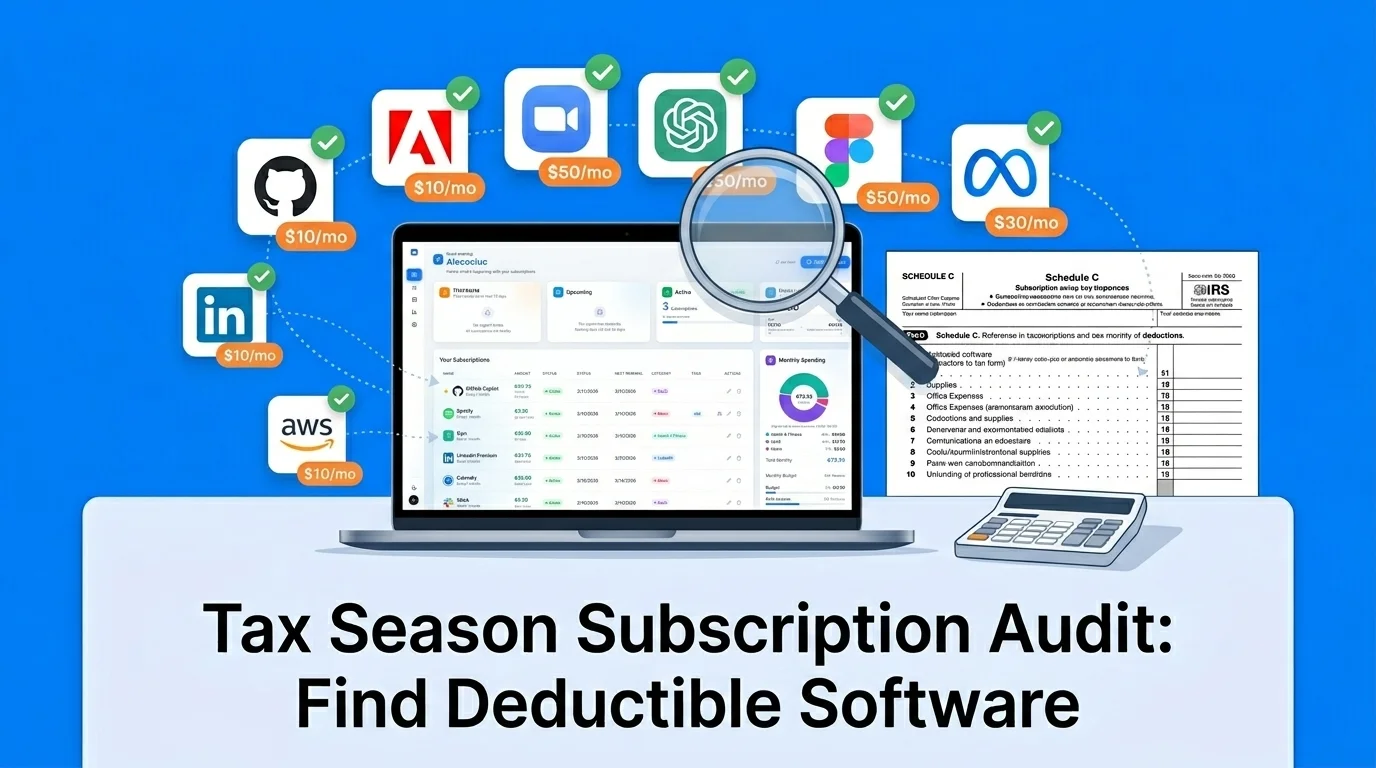
Table of Contents
Last weekend I sat down to prepare my 2025 taxes and realized something embarrassing: I had no idea which of my 23 active subscriptions were tax-deductible.
I'm a software developer who freelances on the side. My accountant always asks for a list of "business software expenses." Every year I send a half-remembered spreadsheet, miss a bunch of things, and probably overpay by hundreds of dollars. This year I decided to do it properly.
I opened SubBuddy, exported my full subscription list, and went through each one asking: "Can I write this off?"
The answer surprised me. I found $1,247 in deductible subscriptions I would have missed — including some I never considered "business expenses" at all.
The bottom line: At a 24% marginal tax rate, those forgotten deductions would have cost me $299 in extra taxes. That's real money I almost handed to the IRS for free.
Here's exactly how I did the audit, what qualifies, and a complete checklist you can use after filing, before amending, or while setting up cleaner records for next tax season.
Who Can Actually Deduct Subscriptions? (And Who Can't)
Before we dive in, let's be clear about who this applies to — because the rules are different depending on how you earn your income.
You CAN Deduct Subscriptions If You're:
- Self-employed / Freelancer: You file Schedule C (Profit or Loss from Business). Software and digital tools used for your business are deductible as ordinary business expenses under IRS Section 162.
- Small business owner (LLC, S-Corp, C-Corp): Business subscriptions are deductible as operating expenses on your business tax return.
- Independent contractor: Same rules as freelancers — if you receive 1099 income, you can deduct business tools on Schedule C.
You Probably CAN'T Deduct Subscriptions If You're:
- W-2 employee (for 2025 taxes): The Tax Cuts and Jobs Act (TCJA) suspended the deduction for unreimbursed employee expenses through tax year 2025. Even if your employer requires you to use specific software and doesn't reimburse you, you cannot deduct it on your federal return. (Note: some states like California, New York, and Pennsylvania still allow state-level deductions for unreimbursed business expenses.)
- Hobby income: If the IRS considers your activity a hobby rather than a business, you can't deduct expenses against that income.
Important: This article covers general tax principles. Consult a qualified tax professional for advice specific to your situation. Tax rules can change, and individual circumstances vary.
The One IRS Rule That Governs Everything
The IRS has a surprisingly simple standard for deductible business expenses (Section 162): the expense must be "ordinary and necessary" for your trade or business.
- Ordinary: Common and accepted in your industry. A designer paying for Adobe Creative Cloud? Ordinary. A plumber paying for Adobe Creative Cloud? Harder to justify.
- Necessary: Helpful and appropriate for your business. It doesn't have to be indispensable — just genuinely useful for business operations.
The Mixed-Use Rule
Here's where it gets tricky. Many subscriptions are used for both business and personal purposes. The IRS requires you to prorate the deduction based on actual business use.
For example:
- You use Adobe Creative Cloud 80% for client work and 20% for personal photo editing → deduct 80%
- You use Spotify 100% personally → not deductible (even if you "listen while working")
- You use Zoom 100% for client calls → fully deductible
- You use your internet connection 60% for business → deduct 60%
The key is documentation. If you ever get audited, you need to show a reasonable basis for your business-use percentage. A subscription tracker that logs what you're paying, when, and what it's for isn't just convenient — it's your audit defense.
My Subscription Audit: The Full Results
Here's every subscription I audited, whether it qualified, and how much I could deduct. I used SubBuddy's tag feature to mark each one as "fully deductible," "partially deductible," or "personal only."
Fully Deductible (100% Business Use)
| Subscription | Annual Cost | Category |
|---|---|---|
| GitHub Pro | $48 | Development tools |
| Vercel Pro | $240 | Hosting & infrastructure |
| Notion (team plan) | $96 | Project management |
| Figma Professional | $144 | Design tools |
| Google Workspace | $72 | Business email & docs |
| Zoom Pro | $159 | Client meetings |
| QuickBooks Self-Employed | $180 | Accounting |
| Grammarly Business | $144 | Professional writing |
| Subtotal | $1,083 |
Partially Deductible (Mixed Business/Personal Use)
| Subscription | Annual Cost | Business % | Deductible Amount |
|---|---|---|---|
| ChatGPT Plus | $240 | 70% | $168 |
| Internet service | $1,080 | 60% | $648 |
| iCloud+ 2TB | $120 | 50% | $60 |
| Adobe Creative Cloud | $660 | 80% | $528 |
| Phone plan | $720 | 50% | $360 |
| Subtotal | $2,820 | $1,764 |
Not Deductible (Personal Use)
| Subscription | Annual Cost | Reason |
|---|---|---|
| Netflix Premium | $276 | Entertainment, no business use |
| Spotify Premium | $132 | Personal music (listening while working doesn't count) |
| Disney+ | $168 | Entertainment |
| Gym membership | $480 | Personal health (not deductible for sole proprietors) |
| Meditation app | $70 | Personal wellness |
Total deductible amount: $2,847 ($1,083 fully + $1,764 partially). At my 24% marginal rate, that's $683 in tax savings. The $1,247 I mentioned earlier? That's specifically the amount I would have missed if I hadn't done this audit — the partially deductible subscriptions and a few fully deductible ones I had forgotten about (who remembers Grammarly auto-renewed?).
The Complete Checklist: Every Subscription Category You Can Deduct
Go through your subscriptions and check each category below. You'll be surprised how many you're missing.
1. Software & Development Tools
- GitHub / GitLab / Bitbucket
- JetBrains IDEs (IntelliJ, WebStorm, PyCharm)
- VS Code extensions (paid ones)
- Postman, Insomnia (API testing)
- Docker Desktop Pro
- Database tools (TablePlus, DataGrip)
2. Cloud & Hosting
- AWS, Google Cloud, Azure
- Vercel, Netlify, Railway, Render
- Domain registrations (Namecheap, Cloudflare, GoDaddy)
- SSL certificates (if paid separately)
- Email services (SendGrid, Mailchimp, ConvertKit)
- Database hosting (Supabase, PlanetScale, MongoDB Atlas)
3. Design & Creative
- Adobe Creative Cloud (Photoshop, Illustrator, Premiere)
- Figma / Sketch / Canva Pro
- Stock photo subscriptions (Shutterstock, Unsplash+)
- Font licenses (Adobe Fonts, Google Fonts is free)
- Video editing (DaVinci Resolve Studio, Final Cut Pro subscription)
4. AI & Productivity
- ChatGPT Plus / Claude Pro / Gemini Advanced
- GitHub Copilot
- Midjourney / DALL-E (if used for business creative work)
- Notion / Obsidian Sync / Roam Research
- Todoist / Things (if primarily for work tasks)
- Grammarly / Hemingway (business writing)
5. Communication & Collaboration
- Zoom / Google Meet (paid plans)
- Slack / Microsoft Teams (paid plans)
- Calendly / Cal.com
- Loom (video messaging)
6. Business Operations
- Accounting: QuickBooks, FreshBooks, Xero, Wave
- Invoicing: HoneyBook, Bonsai, AND CO
- Time tracking: Toggl, Harvest, Clockify (paid)
- CRM: HubSpot, Pipedrive
- Legal: LegalZoom, Rocket Lawyer
- Project management: Asana, Monday.com, Linear, Jira
7. Marketing & Analytics
- SEO tools: Ahrefs, SEMrush, Moz
- Analytics: Google Analytics (free), Plausible, Fathom (paid)
- Social media: Buffer, Hootsuite, Later
- Email marketing: ConvertKit, Mailchimp, Beehiiv
- Advertising platforms: Meta Business, Google Ads (the ad spend itself is deductible too)
8. Professional Development & Education
- Online courses: Udemy, Coursera, LinkedIn Learning, Frontend Masters
- Industry publications: Wall Street Journal, Bloomberg, industry newsletters
- Professional memberships: ACM, IEEE, local chamber of commerce
- Conference tickets and virtual events
9. Infrastructure (Often Overlooked!)
- Internet service — deductible at your business-use percentage
- Phone plan — deductible at business-use percentage
- VPN service — if used for business security or remote access
- Cloud storage — iCloud, Google One, Dropbox (at business-use percentage)
- Password manager — 1Password, Bitwarden (business plan)
- Antivirus — if on your business devices
The biggest miss for most freelancers: Internet and phone plan. If you work from home and use your internet 60% for business, that's potentially $600-$800/year in deductions you're ignoring. Same goes for your phone plan if you use it for client calls, Slack, and email.
How to Run Your Own Tax Season Subscription Audit (30 Minutes)
Here's the exact process I used. Set a timer — it genuinely takes 30 minutes or less.
Step 1: Gather Every Subscription (10 minutes)
Pull your complete subscription list from:
- Your subscription tracker (SubBuddy, spreadsheet, whatever you use)
- Your bank and credit card statements — search for recurring charges from the past 12 months
- iPhone Settings → Subscriptions / Google Play Store → Payments & subscriptions
- PayPal recurring payments
- Any annual subscriptions that only charged once this year (these are the easiest to forget)
Step 2: Categorize Each Subscription (10 minutes)
For each subscription, assign one of three labels:
- Fully deductible — 100% business use, no personal use
- Partially deductible — mixed use; estimate your honest business percentage
- Not deductible — personal only
If you use SubBuddy, you can use custom tags to mark these directly on each subscription. Then filter by tag to get your deductible total instantly.
Step 3: Calculate Your Deductible Total (5 minutes)
For each subscription:
- Fully deductible: Add the full annual cost (monthly × 12, or the annual charge)
- Partially deductible: Multiply annual cost × business-use percentage
- Not deductible: Skip it
Add them all up. That's your total software/subscription deduction for Line 18 (Other expenses) on Schedule C, or the appropriate line on your business return.
Step 4: Document Everything (5 minutes)
For each deductible subscription, record:
- Name of the service
- Annual amount paid
- Business purpose (one sentence: "Client video calls" or "Code hosting for freelance projects")
- Business-use percentage (for mixed-use items)
- Payment method and charge dates
Save this somewhere permanent. If the IRS ever asks, you want to pull this up in 30 seconds, not reconstruct it from memory. SubBuddy's export feature or a simple spreadsheet both work.
5 Tax Deduction Mistakes Freelancers Make With Subscriptions
Mistake 1: Forgetting Annual Subscriptions
Monthly charges are easy to spot — they show up 12 times on your statement. But annual subscriptions charge once and vanish from memory. That $299 Adobe CC annual payment in February? By December, you've forgotten it exists. Go through your statements month by month and look for one-time charges that are actually annual subscriptions.
Mistake 2: Not Deducting "Infrastructure" Subscriptions
Most freelancers remember to deduct Photoshop and Zoom. Almost nobody deducts the internet connection that makes them work. Or the phone plan they use for client calls. Or the cloud storage that backs up their work. These "infrastructure" subscriptions are often the largest deductible amount — and the most commonly missed.
Mistake 3: Claiming 100% on Mixed-Use Subscriptions
If the IRS audits you and you've claimed 100% business use on ChatGPT Plus, they'll ask: "You never once used it for personal questions?" Be honest about your percentages. A reasonable 70% deduction that survives an audit is worth more than a 100% deduction that gets flagged and reversed with penalties.
Mistake 4: Missing Subscriptions That Ended Mid-Year
If you cancelled Figma in June, you still had 6 months of deductible charges. Don't skip cancelled subscriptions — check the months they were active and include those payments.
Mistake 5: Not Keeping Records
The IRS can audit you up to three years after filing (or six years if they suspect underreporting). If they ask about a $240/year Notion subscription, you need to show it was used for business. A subscription tracker with tagged categories and export capability is your best friend here.
The 2026 Wildcard: AI Subscriptions
Here's something your accountant from 2023 never dealt with: AI subscriptions are now a major business expense category.
In 2025, the average knowledge worker spent $40-$80/month on AI tools — ChatGPT Plus ($20/mo), GitHub Copilot ($19/mo), Claude Pro ($20/mo), Midjourney ($10-$30/mo). For heavy users or teams, that's $500-$1,000/year in AI subscriptions alone.
The good news: AI tools are deductible under the same "ordinary and necessary" standard as any other business software. The key is documenting your business use:
- ChatGPT Plus / Claude Pro: If you use it for writing client proposals, debugging code, drafting emails, or research — that's business use. If you also use it to plan vacations and write birthday poems, estimate a business percentage.
- GitHub Copilot: If you code for work, this is almost certainly 100% deductible. It's a development tool, period.
- Midjourney / DALL-E: Deductible if you create images for clients, marketing, or business content. Personal art projects don't count.
- AI writing tools (Jasper, Copy.ai): Deductible if used for business copywriting and marketing.
Pro tip: AI subscriptions are the fastest-growing software expense category. If you haven't been tracking them separately, start now. Next tax season you'll thank yourself.
Your Post-Filing Cleanup Plan
If you already filed, use this as a cleanup pass for your records and talk to a qualified tax professional before amending a return. If you filed an extension or have not filed yet, this same workflow can still help you avoid missing legitimate business software expenses.
Today (15 minutes)
- Open SubBuddy (or your bank statements) and list every subscription you paid for in 2025.
- Don't forget subscriptions you cancelled mid-year — they still count for the months they were active.
This Week (30 minutes)
- Tag each subscription as fully deductible, partially deductible, or personal.
- For partially deductible ones, assign an honest business-use percentage.
- Calculate your total deductible amount.
- Check infrastructure: internet, phone, cloud storage, VPN.
Before Filing, Amending, or Archiving
- Send the categorized list to your accountant, use it before filing, or ask whether an amendment makes sense for missed deductions.
- Save a copy of the audit with your tax documents.
- Set a calendar reminder for January 2027: "Start tagging 2026 subscriptions for next tax season." Don't wait until the last minute again.
Tools That Make This Easier Every Year
The reason this audit took me only 30 minutes is because I already had most of my subscriptions tracked in SubBuddy. Here's how to set up a system so next year's audit takes 5 minutes:
- Tag subscriptions by tax status: Use SubBuddy's custom tags — create "Tax: Deductible," "Tax: Partial," and "Tax: Personal" tags. When you add a new subscription, tag it immediately.
- Note the business percentage: For mixed-use subscriptions, add the percentage in the notes or tags (e.g., "Tax: Partial 70%").
- Track cancelled subscriptions: Don't delete cancelled subscriptions mid-year — mark them as inactive. You'll need those records for the partial-year deduction.
- Export for your accountant: At tax time, filter by your "Tax: Deductible" tag and export the list. Done in 2 minutes.
The best tax strategy isn't a last-minute scramble in March — it's a habit of categorizing as you go. Five seconds when you subscribe saves 30 minutes at tax time.
Sources and Tax Notes
This article is a practical recordkeeping workflow, not tax advice. The deductible/non-deductible examples are based on the IRS ordinary-and-necessary business expense framework and Schedule C recordkeeping context. Confirm your own deductions with a qualified tax professional, especially for mixed-use subscriptions, state rules, and amended returns.
- IRS Publication 535: Business Expenses
- IRS Schedule C information
- IRS guidance on deducting other business expenses
Related reading: Learn what current data says about average subscription spending, audit your bank statements with our step-by-step guide, or explore the top 10 essential software subscriptions for small businesses.
Alex Coca
Founder & CEO of SubBuddy. After discovering he was missing over $1,200 in deductible subscriptions during tax season, Alex started tagging every subscription by tax status — and built SubBuddy to make it easy for everyone else too.
Don't Leave Deductions on the Table Next Tax Season
Tag your subscriptions as deductible in SubBuddy, track business expenses year-round, and export a clean list for your accountant in 2 minutes. No bank connection needed.
Start Tracking for FreeRelated Articles
How to Audit Your Bank Statement and Find Hidden Subscriptions in 30 Minutes
Stop letting forgotten subscriptions drain your bank account. This step-by-step guide shows you exactly how to audit your statements, identify hidden charges, and reclaim your money.

Top 10 Essential Software Subscriptions for a Growing Small Business in 2025
As your small business grows, so does your software stack. Here are the top 10 essential subscriptions in 2025 to power your growth, and how to manage them effectively.

How Much Does the Average American Spend on Subscriptions? What the Best Data Shows
There is no single perfect subscription average. Current public studies measure different baskets, from broad subscription spending to streaming-only costs.