Charged Twice for the Same Subscription: Which One to Cancel Without Losing Your Library
Table of Contents
Keep the duplicate that has more attached to it, cancel the other, and cancel rather than delete: the side holding your library, a grandfathered price or a prepaid annual term is the one worth paying for, even when the other one is easier to switch off. Two charges for one service is a common enough problem that every major platform has a help page for it. Netflix has one. Spotify has one. Apple and Google both have several.
Every one of those pages stops at the diagnosis. Spotify's page on the subject lists four causes and then says to contact support. Netflix's version explains proration and extra member slots and then, if neither fits, sends you to a contact form. Neither says the thing you actually came for: you now have two live subscriptions to one service, and cancelling the wrong one can cost you a decade of playlists, a price nobody can buy any more, or an annual term you paid for up front.
This guide is the missing half. Five causes with a test for each, a scoring table for choosing the survivor, and the refund path for the overlap on every billing rail.
Last reviewed: September 7, 2026. Every platform rule below was checked against the official help page on that date. Refund windows and bundle terms change often, so treat the linked source as authoritative over any summary, including this one.
First: Is It Even a Duplicate?
Plenty of "billed twice" reports turn out to be one subscription behaving normally, which is why every platform's help page opens with proration, retried payments and authorization holds rather than with second accounts. Run this screen before you cancel anything. It costs nothing, and what comes after it is hard to undo.
Is either charge still pending? Apple documents that a temporary authorization hold for a small amount can appear when you update your billing information or add someone to your Family Sharing group, and that "authorization holds are removed by your card issuer or financial institution after a short time." Apple's refund page adds the tell that settles it: "If the charge is pending, you can't request a refund yet. After you receive an email receipt, try to request a refund again." No receipt, no completed charge. Spotify puts it the same way: a payment showing as pending or processing is "a temporary authorization charge made by your payment provider."
Did you change plans this month? Netflix is explicit that changing to a higher-priced plan "takes effect immediately," that your billing date may move, and that you "may be charged a separate prorated amount for the balance, resulting in two Netflix charges in the same month." An extra member slot does the same: a separate prorated amount for the first month, two Netflix charges in one month. Spotify's equivalent is an upgrade, where "your first payment for the new plan is a few days earlier than normal to make up for the new, higher monthly cost."
Did a payment fail and get retried? Spotify's page covers this too: a failed payment gets retried later, "appearing twice in the same month" on the statement even though only one of the two attempts succeeded.
Or did several purchases get grouped? Apple bundles multiple purchases onto one charge, which cuts the other way: one line on your statement can be two subscriptions plus an app. Worth knowing that Apple says "in Europe and India, purchases might not be grouped," so a European statement is more granular by default.
The screening question that settles it: does the second charge repeat next month? A hold, a proration and a retry all happen once. A duplicate subscription happens forever. If you cannot tell which charge is which, work out what the descriptors mean first with the billing descriptor decoder, then come back.
The Five Causes, With a Test for Each
| # | Cause | Diagnostic test | Tell |
|---|---|---|---|
| 1 | App store subscription plus a direct one | Search your Apple or Google purchase history for the service name | One charge reads as the store, one as the company |
| 2 | Two accounts sharing one card | Sign in with every email, phone number and social login you have used | Same amount, same day, two receipt addresses |
| 3 | Carrier or ISP bundle over a direct plan | Open your phone or internet bill and look for the service as a line item | One charge on the card, one folded into the telecom bill |
| 4 | Family-plan member who kept an individual plan | Ask the plan manager to list the members, then check your own plan page | You appear on someone else's plan and still pay your own |
| 5 | Not a second subscription at all | Run the screen above | It does not repeat next month |
1. You subscribed once through the App Store and again direct
The classic version: you started a trial inside the iPhone app, forgot about it, and later signed up on the company's website on a laptop. Two contracts, one service, and the app happily logs you in on both.
The test. Apple's purchase history is searchable by amount. Sign in at reportaproblem.apple.com, and if you are not sure what you were charged for but know the amount, search for the amount; on a device, tapping "Last 90 days" at the top of Purchase History widens the window. If the charge is there, that duplicate is billed by Apple and cancellable in your iPhone subscription settings. If it is not there, Apple is blunt about what that means: for purchases not billed through the App Store or Apple In-App Purchase, "Apple is unable to provide support for these purchases" and you must contact the developer for billing support or a refund. On Android the equivalent list lives in Play under Payments and subscriptions.
The full sweep for each store is in the iPhone hidden subscriptions audit and the Google Play audit.
2. Two accounts, one card
This is the cause people find last, because both charges look identical on the statement. It happens because modern signup offers four doors into the same product. Spotify names them: "There are a few ways to sign up, ex. with email, phone number, Apple, or Google." Sign up with Apple on your phone and with your work email on a laptop and you have two accounts, two Premium subscriptions and one card paying for both.
The app-store variant is the same shape with different names. Apple's advice on missing purchases is simply: "If you have more than one Apple Account, you might have used a different Apple Account to buy an item." Google's is nearly word for word: "If you can't find your subscription, it may be on a different account."
The test. Take the billing email address off the receipt for each charge; they will differ. Then attempt a password reset on the address you do not recognise. If a reset email arrives, that account exists and is yours to cancel. Spotify's own page adds the uncomfortable second possibility: "Check your family or friends haven't used your payment info."
3. A carrier or ISP bundle layered over a direct plan
Carriers give away streaming subscriptions as plan perks, and the handover from your existing direct plan to their billing is where the overlap lives. Two carriers document it precisely, and the two answers are different.
T-Mobile, on linking an existing Netflix account: "it may take one to two Netflix billing cycles for your Netflix billing to transfer to T-Mobile," and during that time "you will continue to be charged separately for any existing Netflix account." That is an expected, temporary duplicate that resolves itself. The same page carries the tail risk in the other direction: cancelling the qualifying line does not cancel Netflix, because "Netflix will automatically resume charging your existing payment method that they have on file."
Verizon's Disney bundle perk works differently. Its FAQ says that when you buy the perk and activate the subscriptions, "your existing subscription(s) is automatically paused" — but only if you get one detail right: "you must use the same email address to activate your new Disney Bundle perk subscription as you did to enroll in the original subscription(s)." Use a different address and nothing is paused and you pay twice. The Hulu leg carries a sharper edge still: annual Hulu subscribers "must cancel their Hulu subscription in order to complete Hulu account setup," and "cancellation will forfeit the remainder of the annual subscription period and will not be entitled to a refund."
The test. Open the telecom bill itself, not the card statement. A bundled service appears as a line item inside the monthly total, so it never shows up as its own transaction on the card. If the service is on the bill and also on the card, you have this one.
4. A family-plan member who also holds an individual plan
Joining someone's family plan does not cancel your own. Nothing in the flow prompts you to, the app keeps working exactly as before, and the only signal is the charge.
Spotify's family plan covers "up to 6 family members who live together, including the plan manager," and members must enter the same home address as the manager when joining. Nowhere does the plan cancel a member's existing subscription. The page does spell out the one case that needs manual sequencing: "If you already have Premium with a partner company (ex. your phone or internet provider), you first need to cancel with them and wait for your current Premium to end."
Apple One is the instructive counter-example, because it is one of the few bundles that deduplicates for you. Apple states that "existing subscriptions to services included in your Apple One plan (except iCloud+) will be automatically canceled when you're billed for Apple One," and that "you'll receive a prorated refund for any individual services you're already subscribed to (except iCloud+)." Assume that behaviour is the exception, not the rule.
The test. Ask the plan manager to read out the member list, then open your own plan page. If your name is on their list and your page still shows a personal plan, you have been paying twice since the day you joined.
5. It was never a second subscription
Covered in the screen above. It stays on the list because on a statement it looks exactly like the other four, and it is the only one where doing nothing is the right answer.
The Part Support Skips: Which Duplicate to Cancel
Once you know both are real, the instinct is to cancel whichever one is easier to cancel. That is exactly backwards: the easy one to cancel is usually the one you control, and the one you control is usually the one worth keeping.
Score each of the two subscriptions on four factors. Higher total is the one you keep.
| Factor | 0 points | 1 point | 2 points |
|---|---|---|---|
| Data attached | Fresh account, nothing in it | History and lists you could rebuild in an evening | Years of library, watch history, game saves, documents, reviews or purchased content |
| Price locked in | Current list price | Promotional rate that expires within 12 months | Legacy or grandfathered rate that is no longer sold to new customers |
| Term | Monthly, renews soon | Annual term nearly used up | Annual term prepaid with months left and no refund on cancellation |
| Control | Only a third party can cancel or change it | Billed by an app store | Direct with the service, self-serve cancel, you own the account |
Tie-break: if the totals match, cancel the one whose overlap you can actually get refunded. That is almost always the app-store side, because stores have a refund flow and carriers generally do not.
Two of those factors deserve a note. Price locked in is not hypothetical. Adobe announced in December 2024 that the 20GB Photography plan "will no longer be available to new customers," with the changes effective for new subscribers on January 15, 2025 and "for existing members only when your plan next renews." Anyone still on the old rate is holding something that cannot be repurchased. Cancel that side of a duplicate and the saving is permanent in the wrong direction. If a price change is what surfaced your duplicate in the first place, the grace window between an announcement and your next bill is the place to make this decision.
Term matters because an annual term belongs to the account it was bought on and cannot be moved to the other one. The Verizon and Hulu case above is the clean illustration: forfeit the remainder, no refund. If a prepaid annual sits on one side of your duplicate, that side almost always wins by default.
What Actually Dies When You Cancel the Wrong One
The single most useful distinction in this whole guide: cancelling a subscription and closing an account are different operations, and only one of them destroys data. Nearly all the fear around cancelling a duplicate is fear of the second thing being triggered by the first. It usually is not.
| Action | What happens | What you lose |
|---|---|---|
| Cancel a Spotify Premium plan | Premium runs to the next billing date, then the account switches to free | Nothing structural. Spotify: "You keep your playlists and saved music when your account is free" |
| Close a Spotify account | A reactivation link is emailed and works for 7 days, then deletion begins | Everything, permanently. Purchased audiobooks and tickets for future live events are gone, and the email cannot be reused for 14 days |
| Cancel Netflix | Access runs to the end of the paid period | Nothing immediately. On restart, Netflix says "all of your Profiles, My List, game saves, and payment information will still be there" |
| Cancel an App Store subscription | It stops renewing. If there is no Cancel button, Apple says it is already cancelled | Nothing, but cancel a trial "at least 24 hours before the trial ends" or it renews |
| Cancel a Google Play subscription | Google's version of the same rule: "you'll still be able to use your subscription for the time you've already paid" | Nothing. Some apps also offer a pause of one week to three months instead |
So the rule is simple: cancel the losing subscription, do not delete the losing account. Leave it dormant. If it turns out you scored it wrong, a dormant account is recoverable and a deleted one is not.
Netflix does not publish a retention window for a cancelled account in its restart article, so "it's like you never canceled" should not be read as an indefinite guarantee. If the losing side holds anything you would miss, export it before you cancel rather than trusting a retention policy you cannot see. And where the service offers a real billing pause, that is strictly better than cancelling for a duplicate you are unsure about — worth checking against the list of services that actually support one.
Refunding the Overlap, Rail by Rail
You paid twice for however many months the duplicate ran. The refund path depends entirely on which rail the cancelled duplicate was billed on, and the honest answer is that some rails pay and some do not.
| Rail | Where to ask | What the policy says | Realistic outcome |
|---|---|---|---|
| Apple / App Store | reportaproblem.apple.com, then "I'd like to" and "Request a refund" | Apple asks you to "wait 24 to 48 hours for an update on your request" and says eligibility "might vary by country or region" | Case by case. Recent charges do better than old ones. Approved refunds take extra time to land |
| Google Play | The Play refund flow | Within 48 hours "you may be able to get a refund depending on the details of the purchase"; after that, "contact the developer" | Fast if you catch it inside two days, developer discretion after |
| Direct with the service | The account or billing page | Spotify's refund policy: you can "cancel any time and keep what you paid for," with the account staying Premium "until the end of your billing period" | Usually the remaining period, not a cash refund for past months |
| Carrier or ISP bundle | The carrier, not the service | T-Mobile treats a one-to-two-cycle overlap as expected behaviour during transfer | Often nothing, because the overlap is documented as normal. Ask anyway if it ran longer |
| Billed through a partner | The partner | Spotify cannot refund "Premium payments made through a partner. You can contact them for refund requests" | Whatever the partner's policy allows |
| Your bank (last resort) | Your bank or credit union | The CFPB says to call the company and revoke permission, follow up in writing, then tell your bank you have revoked authorization and confirm in writing | Stops future payments. Does not cancel the contract, and stop-payment orders usually carry a fee |
Two things worth internalising. First, ask on the rail of the subscription you cancelled, not the one you kept — the surviving subscription is a service you are choosing to pay for. Second, the bank route is genuinely a last resort, not a shortcut: revoking a card authorization stops the money without ending the agreement, which is how people end up with a cancelled card, an unpaid balance and a collections letter. The mechanics of why a replaced card does not stop billing are covered in the card-replacement guide.
The Safe Cancellation Order
- Wait for both charges to post. Nothing pending, nothing prorated, nothing retried.
- Identify the rail of each. Store purchase history, service account page, carrier bill.
- Score both on data, price, term and control. Write the two totals down; the instinct you had before scoring is often wrong.
- Export what lives on the loser. Playlists, downloads, documents, saved games, review history. Do this before anything irreversible.
- Cancel the loser. Do not close the account.
- Screenshot the confirmation and note the date access actually ends, which is not today.
- Request the overlap refund on the loser's rail, using the table above.
- Check the statement one full cycle later. One charge, not two. If two, you cancelled a third thing or missed an account.
Step 8 is not optional. The most common failure mode after a duplicate cleanup is discovering a third subscription that was hiding behind the first two. If your statement is where this started, the systematic version of that check is the bank statement audit.
Make It Permanent
A duplicate exists because nothing in your records connects a service name to the rail that bills it. Fix the record and the failure cannot repeat, because the second signup collides with the first the moment you write it down.
| What to record | Why it prevents the next duplicate |
|---|---|
| Payment method and card last four | Two entries for one service on different cards is the signature of cause 2 |
| Email account the subscription is registered to | The single field that exposes a second account before the charge does |
| Cancellation link and cancellation notes | Tells future you which rail to cancel on, months after you have forgotten |
| Renewal date and reminder lead time | Catches an overlapping annual term before it renews rather than after |
In SubBuddy those are real fields on every subscription: payment method, card last four, email account, cancellation URL, cancellation notes, renewal date, and a per-subscription reminder lead time that overrides your account default. You enter them yourself; nothing is read from your bank. Recording both duplicates rather than deleting one has a useful side effect, because SubBuddy's review deck groups live subscriptions by category and shows an overlap as a single comparative row listing every member, ordered by annual cost. Two entries for one service land in the same category and appear together, which is the comparison this whole guide is about.
Run the arithmetic before you decide: the subscription calculator turns the overlap into what it has cost you so far, which is usually the number that ends the debate.
Sources
- Apple: How apps, content, and subscriptions from Apple are billed for grouped charges, authorization holds, and the Europe and India grouping exception.
- Apple: View your purchase history for searching by amount, filtering past 90 days, and the second-Apple-Account check.
- Apple: If you want to cancel a subscription from Apple for the 24-hour trial rule and finding the account that was billed.
- Apple: About purchases not billed through the App Store or Apple In-App Purchase for what Apple cannot help with.
- Apple: Bundle Apple subscriptions with Apple One for automatic cancellation of overlapping individual plans and the iCloud+ exception.
- Apple: Request a refund for apps or content for the refund steps and the 24-to-48-hour update window.
- Google Play: Cancel, pause, or change a subscription for access after cancellation, the different-account tip, and pause durations.
- Google Play refund policies for the 48-hour window and the developer hand-off.
- Spotify: Charged twice for the four causes Spotify lists, including second accounts and pending charges.
- Spotify: How to cancel Premium plans for keeping playlists on the free tier and for plans billed by a partner company.
- Spotify: Refund policy for keeping what you paid for after cancelling, and for payments made through a partner.
- Spotify: Closing your account and deleting your data for the 7-day reactivation link and what is lost permanently.
- Spotify: Family plan for the six-member and same-address rules and the partner-cancellation sequence.
- Netflix: Charged twice by Netflix for plan-change proration and extra member slots.
- Netflix: How to restart your Netflix membership for profiles, My List and game saves surviving a cancellation.
- T-Mobile: Netflix On Us support for the one-to-two-cycle billing overlap and what happens when the line is cancelled.
- Verizon: Disney+, Hulu, ESPN+ perk FAQs for automatic pausing, the matching-email requirement, and the annual Hulu forfeiture.
- Adobe: Photography pricing updates for a documented legacy plan withdrawn from new customers.
- CFPB: How do I stop automatic payments from my bank account? for revoking authorization and stop-payment orders.
Alex Coca
Alex Coca is the independent developer behind SubBuddy. He researches subscription billing, cancellation patterns, and recurring-spend workflows by building the product and reviewing real subscription audits from users and his own accounts.
Record Which Rail Each Subscription Is On
SubBuddy stores the payment method, card last four, the email account it is registered to and the cancellation link for every subscription you keep, so a duplicate is obvious the first time it appears instead of eleven months later.
Start Tracking FreeRelated Articles
I Found 9 Hidden Subscriptions in My iPhone Bill in 10 Minutes: Here's Exactly How I Did It
Last Sunday I opened Subscriptions on my iPhone out of curiosity. Nine charges I'd totally forgotten were sitting there. Here's the exact 4-step process to find and kill every hidden subscription on your iPhone right now.
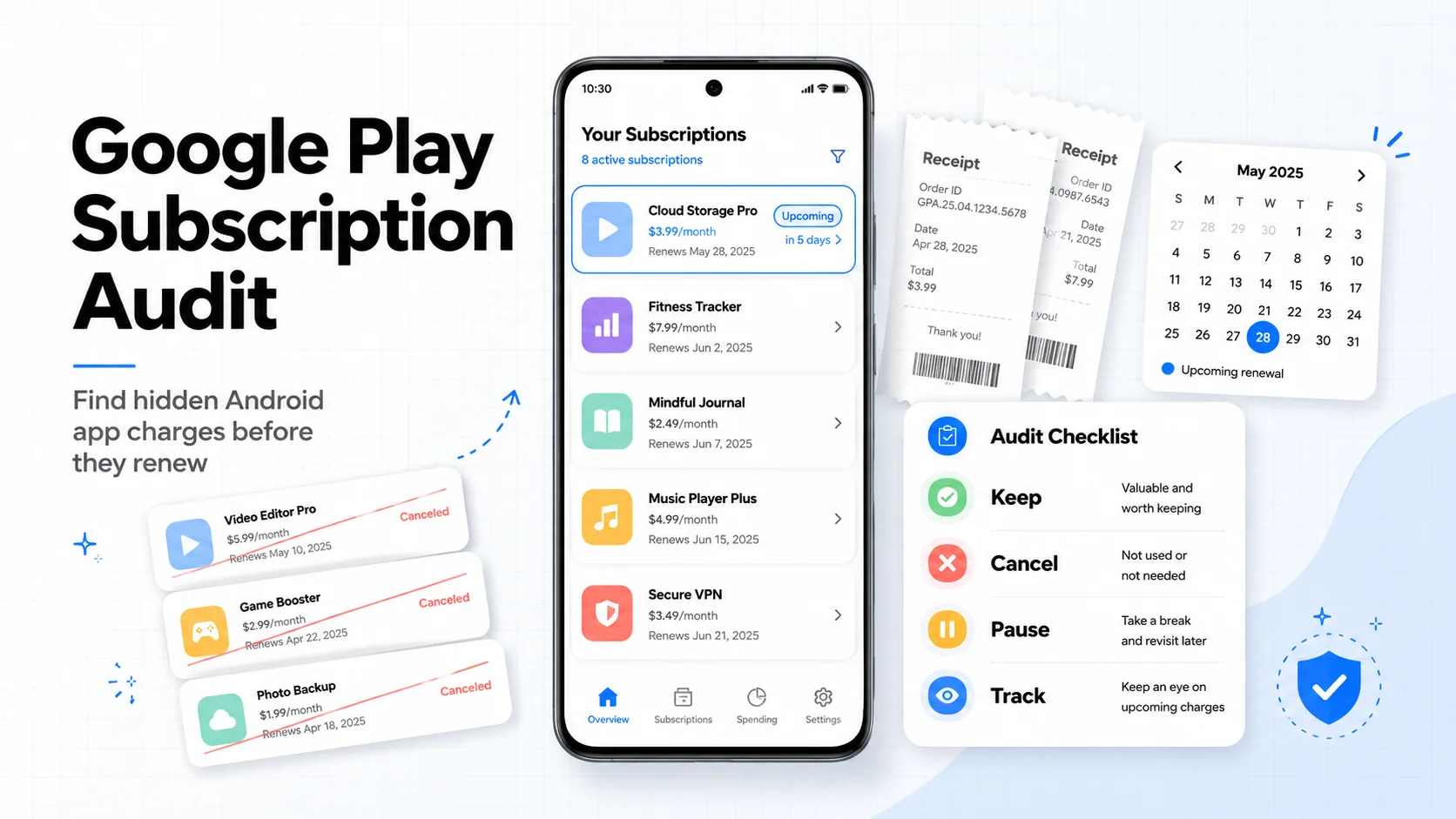
Google Play Subscription Audit: How to Find and Cancel Hidden Android App Charges in 10 Minutes
Android app subscriptions are easy to start and easy to forget. This Google Play audit shows where to check, how to cancel or pause, what refunds can and cannot do, and how to track the apps you keep.
How to Audit Your Bank Statement and Find Hidden Subscriptions in 30 Minutes
Stop letting forgotten subscriptions drain your bank account. This step-by-step guide shows you exactly how to audit your statements, identify hidden charges, and reclaim your money, all in half an hour.