You Can't Log In, But It Still Charges You: Cancelling a Subscription on an Account You've Lost
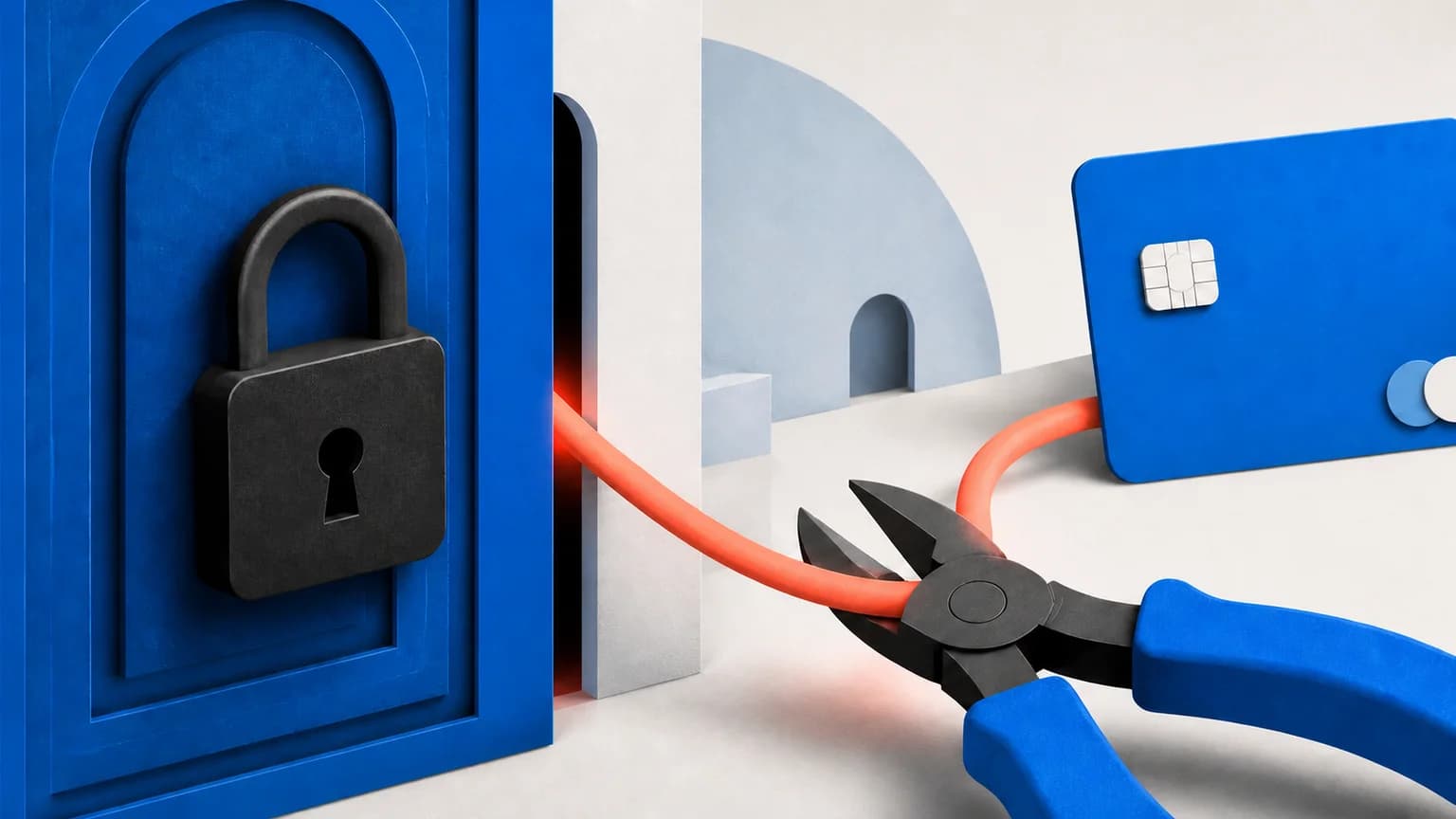
Table of Contents
When you cannot log in, stop trying to reach the account and cancel at the rail that actually bills you. The service relationship and the billing relationship are two different things, and only one of them is locked. If the money moves through Apple, Google Play, Amazon, PayPal, a console store or your phone carrier, you can end the subscription from an account you still control, without ever seeing the vendor's login screen. If the vendor bills you directly, you switch to proving who you are with payment evidence instead of a password. If that fails too, you revoke the authorization at your bank.
Every mainstream cancellation guide, including our own platform-by-platform cancellation guide, quietly assumes step zero: you can sign in. The threads that never get answered are the ones where step zero already failed.
Last reviewed: September 8, 2026. Scope: we re-read the published billing and account-recovery policies of the vendors named below in August and September 2026, and classified all 49 services in SubBuddy's own service dataset (last re-verified 2026-08-26) by which company actually bills them. Where a vendor's process is only visible in its public support forum rather than its help centre, we say so and link the thread.
The Reframe: You Need the Rail, Not the Account
A subscription has two halves. One is the service relationship: an email address, a password, a library, a workspace. The other is the billing relationship: the company that presents the charge to your card or bank. People assume these are the same company. Frequently they are not.
We can put a number on that. Of the 49 services in SubBuddy's service dataset, 26 carry a cancellation caveat that names a specific outside store, platform, carrier or bundle as the place the subscription may actually be billed, and therefore where it has to be cancelled: Apple, Google Play, Amazon, Roku, PlayStation, YouTube, a cable provider, Walmart+, a mobile operator, or an in-house bundle such as Apple One or the Disney Bundle. That is 55% of a deliberately mainstream list. Crunchyroll's caveat is the bluntest: if you signed up through one of those stores, the cancel button simply does not appear on the vendor's website. Duolingo's says the same thing more gently, and it is the reason its cancellation path starts in device settings rather than on the web.
The consequence is worth sitting with. For a majority of mainstream services, the account that can actually stop the charge is one you may still be able to open. The statement tells you which.
Step 1: Find Out Who Is Actually Charging You
The statement descriptor is the evidence. Pull up the charge in your banking app, copy the merchant line exactly as printed, and match it against the pattern table below. Apple's own guidance says the same thing from the other direction: if you cannot find a subscription in your Apple list, "you might have bought the subscription from another company", and you should check the statement to see who bills you.
| What the descriptor looks like | Who is billing you | Where you cancel | Vendor login needed? |
|---|---|---|---|
| APPLE.COM/BILL, ITUNES.COM/BILL | Apple | Settings → your name → Subscriptions, or the subscriptions section of account.apple.com | No |
| GOOGLE *[service name] | Google Play | Play Store → profile → Payments & subscriptions | No |
| AMZN Digital, Amazon Prime, Prime Video Channels | Amazon | Your Memberships & Subscriptions | No |
| PAYPAL *[merchant] | PayPal billing agreement | Settings → Payments → Automatic payments | No (stops money, not the contract) |
| ROKU, PLAYSTATION NETWORK, MICROSOFT | That platform | That platform's own subscriptions page | No |
| A line inside the third-party section of your phone bill | Your mobile carrier | Carrier account or support line | No |
| The vendor's own name, or a trading name plus a city | The vendor, directly | Vendor support only | Yes. This is the hard case |
Two descriptors deserve a warning. A payment processor's name can sit in front of a merchant you have never heard of, and a merchant can use a legal entity name that matches nothing on your desktop. Both are decoded in our billing-descriptor decoder. And if you find two charges for the same service, resolve which duplicate to cancel before you cancel either, because they may be on different rails with different libraries attached.
Rails You Already Control
These are the cancellations most locked-out people never try, because the vendor's help page never mentions them.
Apple
On iPhone: Settings, your name, Subscriptions. On the web: the subscriptions section of your Apple Account. Apple's cancellation guide also gives the trick for finding which Apple Account paid: search your email for "receipt from Apple" or "invoice from Apple". Note the limitation Apple states plainly: if the subscription was never bought through Apple, Apple cannot cancel it for you.
Google Play
Play Store, profile picture, Payments & subscriptions, Subscriptions. Google's subscriptions help page confirms the part people worry about: cancelling leaves your access running until the end of the period you already paid for. Households often split purchases across two or three Google accounts, so check each one before concluding the charge is not there.
Amazon and PayPal
Amazon keeps recurring charges in Your Memberships & Subscriptions, in Subscribe & Save, and inside Prime Video Channels, which are three separate lists. PayPal keeps standing merchant permissions under Settings, Payments, Automatic payments, where you can cancel a merchant's agreement outright. Cancelling there stops PayPal releasing money; it does not end your contract with the merchant, which is exactly the trap described in why subscriptions keep charging after you replace the card.
Your mobile carrier
Carrier billing puts app purchases and premium services directly on your phone bill. Open the itemized third-party section and cancel the line item through the carrier. Then ask for the part nobody volunteers: a standing block on third-party charges for the whole account, so the next one cannot start.
When the Vendor Bills You Directly: the Payment-Proof Packet
If the descriptor is the vendor's own name, there is no side door. What replaces the password is evidence that you are the person whose money is moving. Support desks are trained to accept this; the reason it fails so often is that people write "I can't log in, please cancel" and attach nothing, which reads identically to a social-engineering attempt.
Send one message containing all of the following:
- The exact charge amount and currency, to the cent.
- The dates of the two most recent charges. Two data points beat one; a recurring cadence is hard to guess.
- The statement descriptor exactly as printed, including any reference number.
- The last four digits of the card, or the PayPal email, or the last four of the account the debit hits. Never the full number, never the expiry, never the CVV.
- The billing address and ZIP or postal code you believe is on file.
- Any invoice, order or transaction ID from an old receipt email. Search your archive for the vendor's name before you write.
- Every email address you might have signed up with, including aliases and old work addresses.
- An explicit ask: cancel the subscription effective immediately, and reply with written confirmation and a case number.
Say in the first sentence that account recovery has already failed and why: dead domain, lost 2FA device, address you no longer control. Otherwise the first reply will be a link to the password reset page and you lose a week.
Spotify documents this pattern in its own help center. Its page for people being charged without a Premium account they can reach tells you to prepare "a screenshot of your Spotify receipt or bank statement" and explicitly warns you to make sure it does not show the full card number, expiry date or three-digit code. That is a vendor telling you, in writing, that payment evidence is the accepted currency of identity.
If the web form stalls, escalate in this order: support form, then live chat, then a public post on the vendor's own community forum quoting your case number. That last step is not petty. On the Adobe community thread about being charged on an unreachable account, the practical advice that surfaced was to type "agent" into the chat field to get past the bot, a workaround that exists nowhere in the official documentation.
What Four Vendors Actually Ask For
We read the published policy or the staff reply for four vendors whose community threads on this problem are among the longest. There is no shared standard, and the spread is wider than you would expect.
| Vendor | What its own channel asks for | Where that is documented |
|---|---|---|
| Spotify | Screenshot of the Spotify receipt or the bank statement, with card number, expiry and CVV masked | Public help center article |
| Shopify | A valid government-issued photo ID plus a selfie or short liveness check; scans, photocopies and screen images are refused, and the name and date of birth must match the account | Help center identity-verification page |
| Figma | A support ticket; staff described the fix as verifying account ownership and updating the contact email so the subscription can be managed | Staff reply in the public forum, January 5, 2026 |
| Adobe | Routed to support chat; no documented evidence list in the thread itself | Community thread, December 11, 2024 |
Read that table as a planning instruction rather than trivia. One vendor accepts a masked statement screenshot, another wants a passport and a live camera check, a third solves it by changing the contact email once ownership is proven, and a fourth publishes nothing at all. Prepare for the strictest version: have photo ID ready as well as the payment packet, because you cannot tell in advance which desk you will land on.
The Two Real Dead Ends
Two situations do not resolve through the vendor, and pretending otherwise wastes months.
The vendor is effectively gone. A shut-down startup, an acquired product whose support queue was folded into the acquirer's, a service that still charges through a payment processor while nobody reads the inbox. Stripe's advice to cardholders in this situation is unusually candid: use its charge lookup to identify the business, contact the business, and if the business is unresponsive, reach out to your bank, which may have recommendations including opening a dispute.
The signup email is on a domain that no longer exists. A former employer, a university that closed your alumni forwarding, a shuttered mail provider. Platform account recovery does not help here: Google's recovery flow and Apple's equivalent can only restore accounts you own, not resurrect a domain somebody else controls. If the vendor's only verification path is an email loop through that address, the loop cannot close. Ask once for a manual review with the payment packet, then move to the bank.
Revoking Authorization at the Bank
This is the backstop, and it is a right rather than a favour. For recurring debits from a US bank account, the CFPB's instructions are a three-part sequence: tell the company you are revoking its permission to take automatic payments, tell your bank or credit union that you have revoked that authorization, and follow both up in writing. Some institutions will also want a stop-payment order.
The timing is set by Regulation E, section 1005.10(c): you may stop payment of a preauthorized electronic fund transfer by notifying the institution orally or in writing at least three business days before the scheduled date of the transfer. The institution may require written confirmation of an oral order within 14 days, and an oral order stops binding after 14 days if that confirmation never arrives. Diary that fourteen-day deadline the moment you make the call.
Two limits matter. First, this covers electronic fund transfers from a bank account; a recurring charge on a credit card runs through the card network instead, with its own cancellation and dispute clocks, which we lay out in the deadlines for disputing a recurring charge. Second, and the CFPB states it directly, stopping the payment does not cancel the contract: you must also cancel with the company, or you can keep accruing a balance that eventually turns up in collections. Send the cancellation notice by email anyway, even if nobody answers it. An unanswered dated email is evidence; a phone call you did not log is not.
What to record so this never happens twice
Everything above is recoverable because it is written down somewhere. The reason a lockout becomes a six-month problem is that the four facts that would fix it in ten minutes live in four different places, or nowhere. A SubBuddy subscription record deliberately carries them on the entry itself: the email account used at signup, the payment method, the last four digits of the card, the cancellation URL, and a free-text cancellation notes field for the awkward part: "billed through Apple, not the website", "support only responds to chat", "annual, renews in March". There is no bank connection doing this for you and no automatic detection; you type it once. A bank feed cannot replace it either: your banking app only sees the account in front of it, so anything billed through Apple, Google Play or a carrier is invisible there exactly when you need it most.
If you have just been through a lockout, the useful next move is not to relax but to run the sweep in how to find forgotten subscriptions and record the recovery details for every entry while the memory of this month is still fresh.
Sources and Scope
- Apple: cancel a subscription — the web and device paths, plus the receipt-search trick and Apple's statement that it cannot cancel subscriptions bought elsewhere.
- Google Play: cancel, pause or change a subscription — the Play path and the confirmation that access runs to the end of the paid period.
- Spotify: charged but don't use Premium — a vendor documenting that a masked receipt or statement screenshot is the accepted proof.
- Shopify: identity verification — the strict end of the range: government photo ID plus a liveness check.
- CFPB: how to stop automatic payments — revoking authorization, and the warning that it does not cancel the contract.
- Regulation E, 12 CFR 1005.10 — the three-business-day stop-payment window and the 14-day written-confirmation rule.
Alex Coca
Alex Coca is the independent developer behind SubBuddy. He researches subscription billing, cancellation patterns, and recurring-spend workflows by building the product and reviewing real subscription audits from users and his own accounts.
Record the Four Things That Get You Out
A SubBuddy subscription stores the email account it was signed up with, the payment method, the card's last four digits and the cancellation URL. Log those once and a lost password stops being an emergency.
Start My Subscription ListRelated Articles
The Complete Guide to Canceling Subscriptions on Every Platform (2026)
Canceling subscriptions should be simple, but companies make it intentionally difficult. Here's your step-by-step guide to canceling subscriptions on every major platform, from Apple to Amazon.
Why Subscriptions Still Charge After You Replace Your Card (and How to Stop Them)
A replacement or expired card does not reliably cancel recurring payments. Here is how card account updaters work, what actually stops a subscription, and what to do if another charge lands.
How to Find Forgotten Subscriptions: The 10 Places They Hide
Forgotten subscriptions rarely sit in one obvious list. Here are the ten places recurring charges hide — app stores, statements, PayPal, Amazon, carrier bills, old emails — and a 30-minute sweep to surface every one.