Read Your Receipts: Rebuilding a Subscription List From Your Inbox (and What Receipt Emails Get Wrong)
Table of Contents
A bank statement records money that already left; the receipt email is the only document that writes down the next renewal date and the next amount before either happens. That makes the inbox the right starting point for rebuilding a subscription list — especially for anyone who will not hand a tracker their bank login, since searching your own mail requires no account access at all.
We know where this method breaks unusually well, because we shipped a receipt parser. SubBuddy's Chrome extension runs a local scan of the last 90 days of Gmail — released in version 1.5.0 on July 5, 2026 — reads each matching message in the browser, and proposes subscriptions in a review list. Nothing is uploaded to be scanned. Everything below comes out of building that thing and then correcting it: the production search string, the triage order, and the six places a receipt tells you something that is not quite true.
Last reviewed: September 10, 2026. Search syntax was verified against Google's, Microsoft's and Yahoo's own help pages on that date. The parser behaviour described here is read directly from SubBuddy extension v1.6.0 source, not estimated. This post covers inbox search only — statements are covered in our bank-statement audit, app stores in the Google Play audit, and the full sweep in the ten hiding places checklist.
Why the Receipt Beats the Statement
The two sources are not interchangeable, and it is worth being precise about why.
A statement line is a past-tense fact with a compressed label. It tells you that $17.99 left the account on the 3rd, under a descriptor built for a card network rather than for you. It cannot tell you which plan tier that was, whether the price changed, or when the next charge lands. If you are staring at a line you cannot place, that is a different job — our billing descriptor decoder handles it.
A receipt email is forward-looking. It typically names the plan, states the cycle in words, and — on renewal notices especially — gives the date of the next charge. That last field is the one that matters, because a renewal you know is coming on October 3 is a decision, and the same charge unannounced is a dispute.
The inbox also crosses billing rails that no single statement covers. App-store purchases, PayPal agreements, marketplace add-ons and carrier-billed extras all send mail to the same address, even when they never touch the same card. That is exactly the blind spot we worked through when we asked whether a bank app can work as a subscription tracker.
The Exact Search String We Run
This is not a guess at good keywords. It is the query our extension builds, verbatim:
(subscription OR receipt OR invoice OR renewal OR "payment confirmation" OR "your payment" OR billed OR "free trial") newer_than:90d
Eight terms, three of them quoted phrases, in a Boolean group, with a 90-day window. Google's own search operators reference documents all three mechanics: OR for matching any of several criteria, straight quotation marks for exact phrases, and newer_than with d, m or y units.
Why these eight and not others:
- subscription, renewal, billed catch recurring language directly. These are the highest-yield terms and the reason the query finds annual plans at all when you widen the window.
- receipt, invoice catch the transactional wording used by payment processors, which frequently do not use the word "subscription" anywhere in the mail.
- "payment confirmation", "your payment" are quoted because unquoted they would match a large fraction of an ordinary inbox. Quoting is what keeps the result count survivable.
- "free trial" is there because a trial confirmation is the earliest possible warning about a charge that has not happened yet — the single most valuable email in this whole exercise.
Two limits are worth knowing before you rely on the automated version. The scan reads at most three pages of results and stops at 60 threads, because driving a mail client harder than that gets unreliable. A search you run by hand has no such cap, which is a genuine reason to do at least one manual pass.
And 90 days is a deliberate compromise, not a recommendation. It guarantees that every monthly subscription appears at least once, and it is close to blind to annual ones: a yearly plan emails you once every twelve months, so a 90-day window has about a one-in-four chance of containing that email. Run a second pass with newer_than:2y and a narrower keyword set — renewal, invoice, annual — to sweep those up. Add in:anywhere to include archived, spam and trashed mail, which is where a surprising share of renewal notices end up after you once clicked "unsubscribe" on a service's marketing list.
Outlook, Yahoo, and Older Inboxes
The keyword block transfers everywhere. The date operator does not, and one provider does not support Boolean search at all.
| Inbox | What to run | What is different |
|---|---|---|
| Gmail | The full string above, pasted as one query. | OR, quoted phrases and newer_than are all documented operators. Nothing needs adapting. |
| Outlook.com / Outlook on the web | subscription OR receipt OR invoice OR renewal OR billed — then narrow with Received: for the date range. | Microsoft's Advanced Query Syntax documents AND, OR, From:, Subject:, Body:, Sent: and Received:, plus a minus sign before a property to exclude it. There is no newer_than; dates go in as MM/DD/YYYY or as relative words like "last month". |
| Yahoo Mail | Advanced Search, one keyword at a time in the Keyword field, with the Date dropdown set to a custom range. | Yahoo's help documents a form — Search in, From, To, Subject, Keyword, Date — and documents no Boolean operators at all. Expect to run the pass eight times, once per term. |
| Any other client | Keyword-at-a-time, sorted by sender. | Treat operator support as unavailable unless the provider documents it. Sorting by sender does most of the work that OR would have done. |
The extension's bulk scan is Gmail-only; its per-email capture button works in Outlook Web and Yahoo Mail as well, on the same local parser. Either way, the searching in those two inboxes is yours to do.
Then repeat the whole thing on every inbox you have ever used. Subscriptions outlive the addresses that created them: a university account, an old Hotmail, the address you used before you consolidated. The card those services bill is often still in your wallet, while the renewal notice lands somewhere you stopped reading years ago.
The Triage Order for 400 Results
A three-year-old inbox will return several hundred hits. Reading them is not the job. Reducing them is. The order matters, because each pass makes the next one smaller.
- Group by sender before you open anything. A monthly subscription generated three receipts inside the window; you need one. Our scan does this automatically — it deduplicates candidates by service name and keeps the highest-confidence one — and doing it by eye collapses a 400-row list to something like 40 senders in about two minutes.
- Delete the one-time purchases. Order confirmations, a single app purchase, a one-off invoice. Our parser tries to detect these by scoring purchase words against subscription words and discarding anything that reads like an order with no recurring language at all. By hand the test is faster: no cycle, no renewal, no membership — not a subscription.
- Open only the newest receipt per remaining sender. The newest one carries the current price. An older one carries a price you are no longer paying, which is how audits end up with a total that is wrong in your favour.
- Flag the senders that went quiet. This is the pass software cannot do. A service that emailed you monthly until March and then stopped has either lapsed, migrated to a different sender domain, or started routing to spam while still charging you. All three are worth a check on the statement.
- Run the two-year annual pass. Last, because by now you know which services you have already accounted for, and the annual pass is only looking for what is missing.
Six Ways Receipts Mislead You
These are the failure modes that cost us the most parser rewrites. Every one of them will also fool a human reading quickly.
| What the receipt shows | What is actually true | What to write down |
|---|---|---|
| A promotional first-period price — "0.00 today", "1.00 for three months" | The receipt states what you paid this time. Very often nothing in the email states what the next one will be. A parser reading only the amounts present in the text will faithfully propose the promotional figure. | The post-promotion price, taken from the service's plan page, plus the date the promotion ends. |
| A total that may or may not include tax | Some receipts print a tax-exclusive plan price and add tax on a separate line; others print one tax-inclusive total. The two differ by enough to make an annual projection wrong by a month's worth. | The figure that actually left the account — the bottom-line total, not the plan line. |
| One Apple receipt covering several apps | Apple documents that multiple items might be grouped onto one bill, with the note that in Europe and India purchases might not be grouped. One email, one charge, several subscriptions inside it. | Each app as its own row, with its own amount — never the grouped total as a single subscription. |
| A sender that is a payment processor, not the service | PayPal calls these automatic payments — the same arrangement it also calls a subscription, a billing agreement or a recurring payment — and the mail arrives from PayPal, not from the service. Merchant-of-record platforms behave the same way: Paddle documents a card-statement descriptor of PADDLE.NET* plus the first ten characters of the company name, referenced on the customer receipt too. | The service you actually subscribe to, with the processor recorded as the payment channel — because the processor is where you go to stop the payment. |
| A bare dollar sign | "$12.99" is USD, CAD, AUD, MXN or several others. Our parser matches the specific forms first — US$, CA$, C$, AU$, A$, MX$, R$ — and only falls back to plain "$" as USD last, which is a guess that is right most of the time and silently wrong the rest. | The three-letter currency code, every time, in its own field. |
| Two dates in one receipt | Payment date and next-billing date both appear, and nothing in the layout marks which is which. Our parser proposes the first date it finds, scanning ISO-formatted dates before any other format, and it throws away any date whose year falls before last year or more than five years out. | Only the date labelled as the next charge. If the receipt names no future date, derive it from the last payment date plus the cycle. |
The pattern behind all six: a receipt is written to confirm a transaction, not to describe an ongoing commitment. It is accurate about the past and casual about the future. That is why every detection in our extension lands in a review list you confirm or edit rather than saving straight to your account.
The Four Fields Worth Copying
Whatever you keep your list in, four fields carry the value. We know they are the right four because they are exactly the fields our parser scores, and it weights them like this when deciding whether a candidate is worth showing you at all:
| Field | Weight in our confidence score | What to confirm by hand |
|---|---|---|
| Amount (with currency) | 0.35 | The bottom-line total, and whether this receipt was a promotional period. |
| Service name | 0.30 | The brand you would recognise, not the processor that sent the mail. |
| Billing cycle | 0.20 | Count and unit separately. "Every four weeks" is not monthly; it bills thirteen times a year, not twelve. |
| Next renewal date | 0.15 | That it is a future date and that it is the next charge, not the last one. |
The amount carries the most weight because a candidate without a positive amount is discarded outright, and a candidate has to clear a combined score of 0.5 to reach the review list at all. There is one optional path that leaves your browser: when you capture a single email instead of running the bulk scan, the review panel shows an "Enhance with AI" button on paid plans, and that button — unlike the local parse — sends the email's text to our server for a model to read. It is something you press. The bulk Gmail scan does not offer it at all.
Note what is not in the four. Payment method, card last four digits, cancellation URL, notes — all useful, none of them recoverable from a receipt with any reliability. Add them later from the service's own account page. If you are keeping the list in a spreadsheet, the 21-column schema shows where each of these belongs and which columns actually earn their place.
One field deserves a column of its own even though no receipt states it: which inbox this receipt arrived in. When you eventually need to cancel, the address that receives the receipts is usually the account credential you have forgotten. Record it while you are looking at it.
Once the list exists, the remaining question is how much warning each entry needs before its renewal — a different lead time for a monthly streaming plan than for an annual tool with a refund window. We worked that out separately in how many days before renewal to cancel.
Sources and Scope
- Google: refine Gmail searches — confirms OR, quoted phrases, newer_than and older_than with d/m/y units, and in:anywhere.
- Microsoft: search mail and people in Outlook.com — the Advanced Query Syntax operator list, including AND/OR, Received: and exclusion with a minus sign.
- Yahoo: search for messages in Yahoo Mail — documents the Advanced Search form fields, not query operators.
- Apple: how apps, content, and subscriptions from Apple are billed — multiple items might be grouped onto one bill; in Europe and India purchases might not be grouped.
- Apple: view your purchase history for the App Store and other Apple media services — where to check what Apple actually billed, and a second confirmation that purchases and subscriptions might be grouped into one bill.
- PayPal: what is an automatic payment — the subscription, billing agreement and recurring payment naming, and where the list lives in Settings.
- Paddle: what customers see on their statement — the merchant-of-record descriptor that also appears on the receipt.
- Google Play: review your order history — confirmation emails go to the Google Account used for the purchase.
Scope note: the search strings and parser behaviour are first-party artefacts from SubBuddy extension v1.6.0, read from source on September 10, 2026. Everything about a third-party provider's search syntax or billing behaviour is sourced to that provider's own documentation above.
Alex Coca
Alex Coca is the independent developer behind SubBuddy. He researches subscription billing, cancellation patterns, and recurring-spend workflows by building the product and reviewing real subscription audits from users and his own accounts.
Turn the Receipts Into a List You Will Still Have Next Year
Copy the four fields out of each receipt — service, amount and currency, billing cycle, next renewal date — into SubBuddy. No bank login is ever involved: you record each subscription once, and every audit after that is a reconciliation against a list you already trust.
Start My Subscription ListRelated Articles
How to Find Forgotten Subscriptions: The 10 Places They Hide
Forgotten subscriptions rarely sit in one obvious list. Here are the ten places recurring charges hide — app stores, statements, PayPal, Amazon, carrier bills, old emails — and a 30-minute sweep to surface every one.
How to Audit Your Bank Statement and Find Hidden Subscriptions in 30 Minutes
Stop letting forgotten subscriptions drain your bank account. This step-by-step guide shows you exactly how to audit your statements, identify hidden charges, and reclaim your money, all in half an hour.
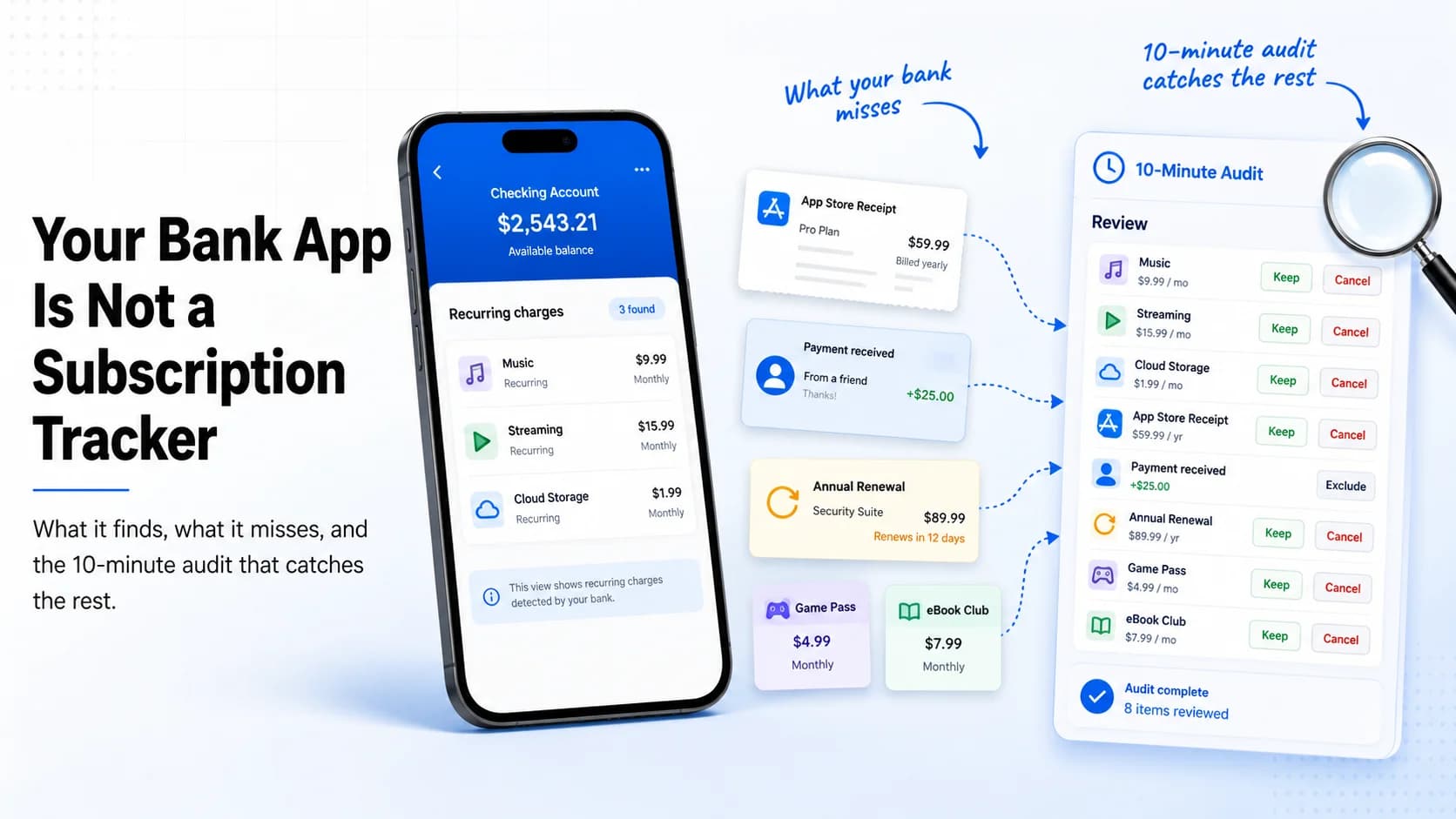
Your Bank App Is Not a Subscription Tracker: What It Finds, What It Misses, and the 10-Minute Audit That Catches the Rest
Bank apps can surface some recurring payments, but they still miss app-store billing, PayPal agreements, annual renewals, and the context you need to decide what to keep. This 10-minute audit shows how to catch the rest.